

The Best Timeline Apps for iPad Project Managers in 2026
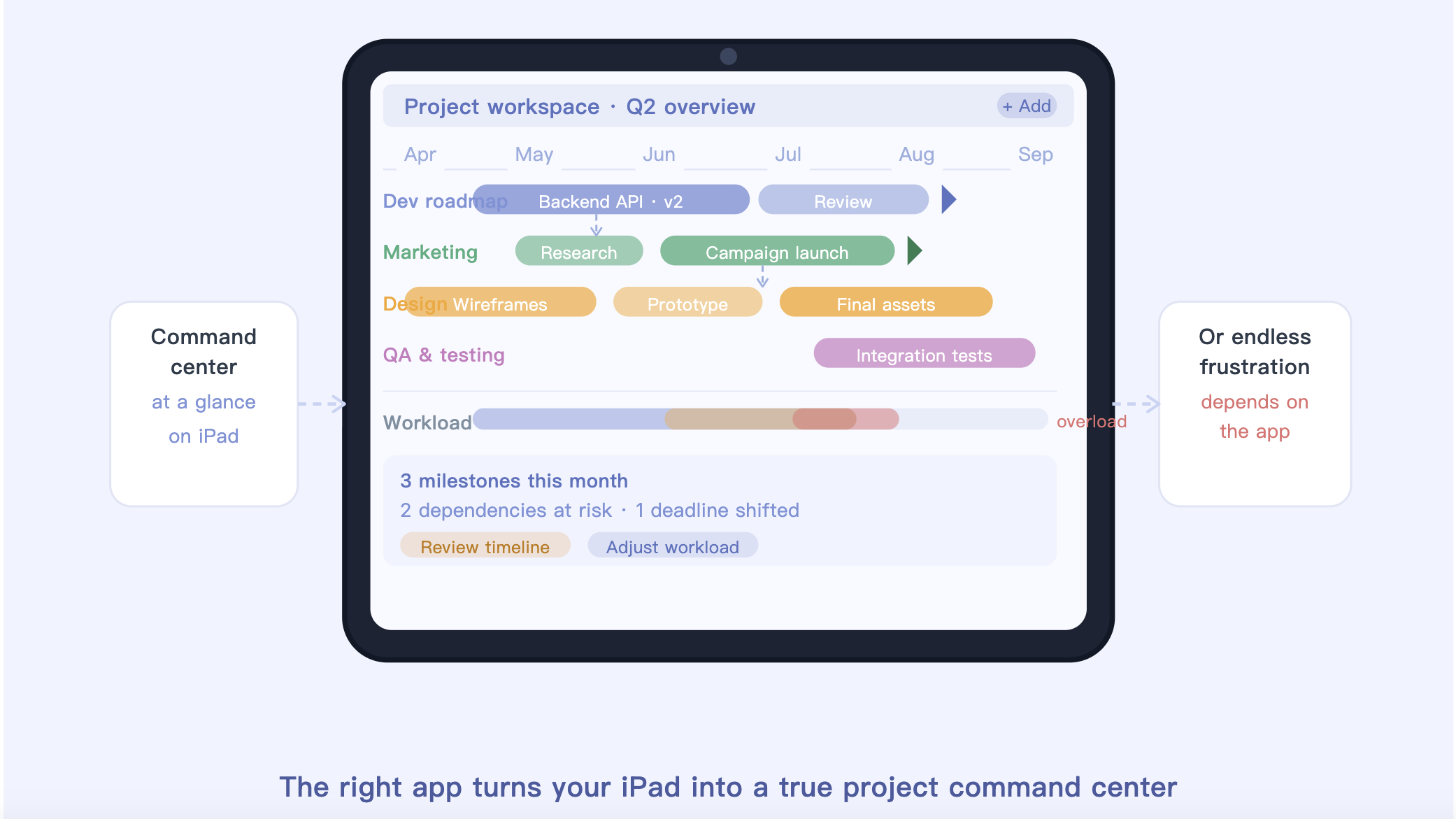
When you’re managing a large, multi-layered project, your iPad can either feel like a portable command center or a source of endless frustration. The difference usually comes down to the app you’re using.
Over the past few weeks, I tested a range of project management platforms specifically on the iPad, looking for tools that do more than simply store tasks. The goal was to find apps that make it easy to actually understand a project at a glance — timelines, dependencies, milestones, overlapping workloads, and shifting deadlines included.
That’s where many apps fall short. Plenty of project management tools are great at creating checklists, but far fewer are good at helping teams visualize how work connects over time. To separate the genuinely useful apps from the clutter, I tested each one using two realistic scenarios: a six-month software development roadmap and a multi-phase marketing launch. If an app struggled with large timelines, became laggy while handling dependencies, or felt awkward on an iPad touchscreen, it didn’t make the list.
Here are the five best apps for visualizing complex project timelines on iPad right now.
1. ClickUp: The All-in-One Powerhouse(iOS/Android)
ClickUp has grown into one of the most feature-packed project management platforms available today. On the iPad, the experience is surprisingly close to the desktop version, especially when working with timelines and task organization.
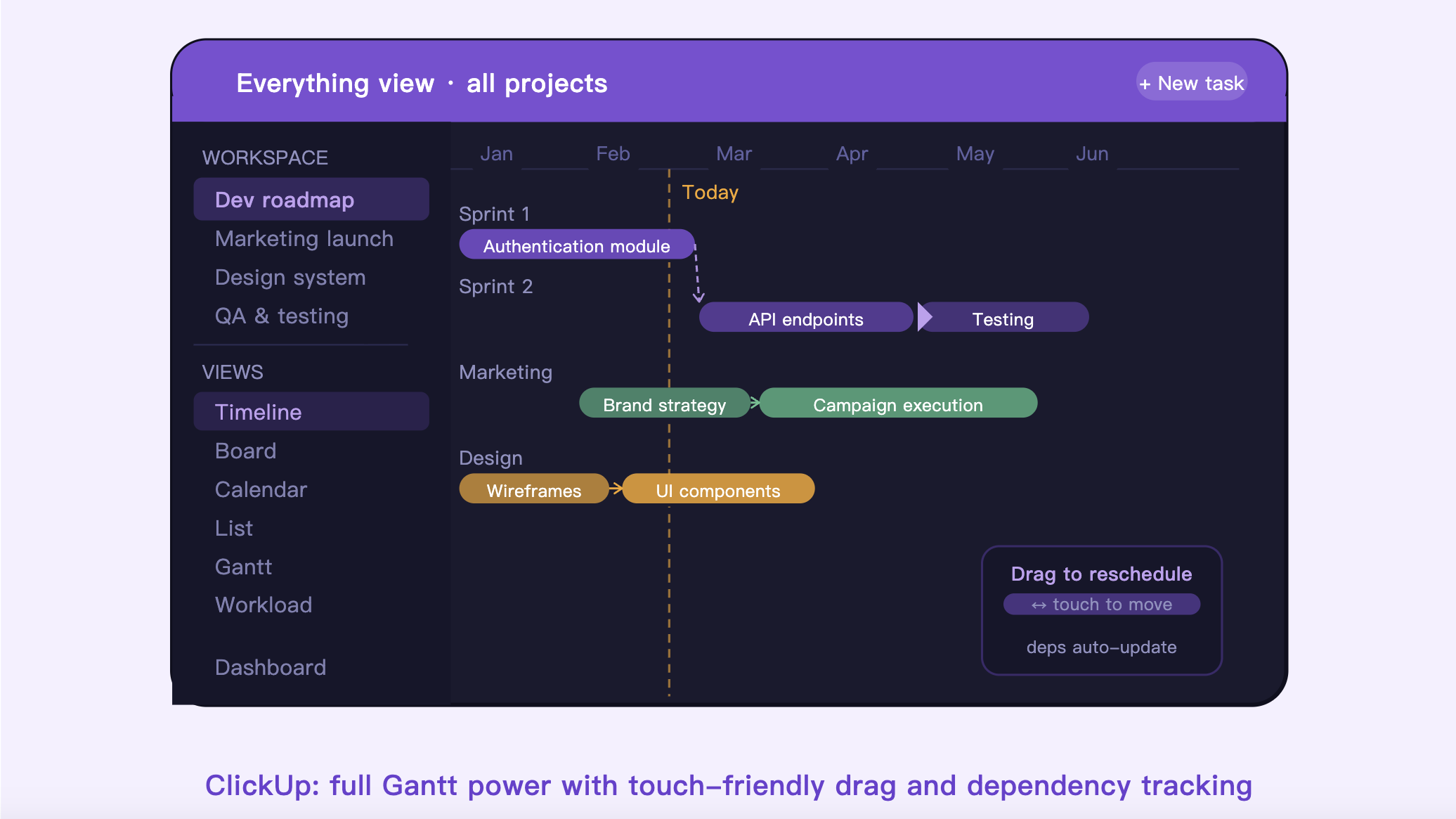
Its Timeline and Gantt-style views are the biggest strengths here. You can drag tasks across schedules, create dependencies between deliverables, and quickly adjust project dates without digging through endless menus. During testing, it handled large project structures far better than many mobile-first competitors.
The Reality Check
The standout feature is ClickUp’s Everything View, which lets you zoom out and see multiple projects across an entire workspace in one place. For managers juggling several initiatives at once, that overview is genuinely useful.
Pros:
Excellent support for task dependencies and milestone tracking.
Multiple project views including Timeline, Gantt, Board, Calendar, and List.
Reliable syncing between iPad, desktop, and Android devices.
Cons:
The sheer number of features can feel overwhelming at first.
Large workspaces with hundreds of tasks may occasionally load more slowly on older iPads.
Pricing: Free plan available; paid plans start at approximately $7/user/month.
2. Notion: Best for Custom Documentation & Timelines(iOS/Android)
Notion approaches project management differently from traditional PM software. Instead of focusing purely on task execution, it blends documentation, databases, collaboration, and timelines into one flexible workspace.
Its Timeline View works especially well for teams that want project planning and documentation living side-by-side. During testing, it felt particularly useful for creative teams, startups, and smaller organizations that need a lightweight but highly customizable planning system.
The Reality Check
Notion’s Timeline View is clean, intuitive, and visually appealing. While it’s not as advanced as enterprise-grade Gantt software, it does an excellent job of showing how projects evolve over time without feeling overly technical.
Pros:
Beautiful interface that feels optimized for touchscreens and iPad workflows.
Easy integration between timelines, notes, meeting docs, and databases.
Extremely flexible customization options for tags, owners, priorities, and statuses.
Cons:
Lacks advanced resource management and critical path analysis.
Building an ideal workspace setup can take significant time upfront.
Pricing: Free for personal use; paid team plans start around $10/member/month.
3. Miro: Best for Visual Brainstorming & Mapping(iOS/Android)
Miro is less of a traditional project management app and more of a collaborative visual workspace. If your projects begin with brainstorming sessions, strategy mapping, or workflow planning, Miro is incredibly effective on the iPad.
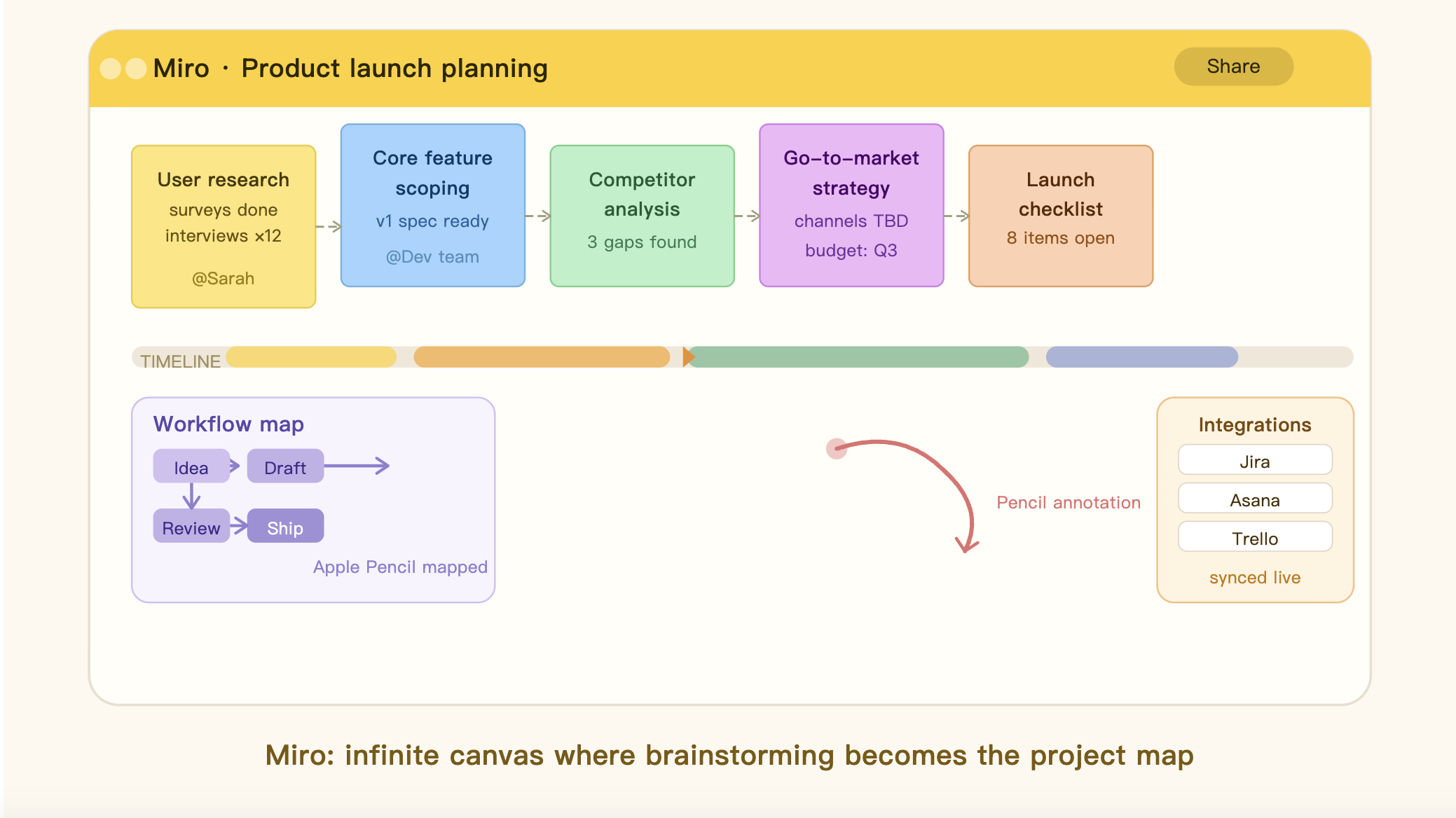
The infinite whiteboard canvas works naturally with touch gestures and Apple Pencil support, making it feel more creative and flexible than standard timeline software.
The Reality Check
What makes Miro stand out is how visual the planning process becomes. Instead of staring at rigid rows and columns, you can map relationships, workflows, dependencies, and milestones in a way that feels much more organic.
Its Timeline widget and integrations with tools like Jira, Asana, and Trello help bridge the gap between brainstorming and actual execution.
Pros:
Infinite canvas allows for flexible project mapping and brainstorming.
Excellent for collaborative planning sessions and workshops.
Large library of templates for roadmaps, timelines, and sprint planning.
Cons:
Not ideal for detailed resource tracking or workload management.
Boards can become visually cluttered without good organization habits.
Pricing: Free plan available; paid plans start at around $8/user/month.
4. Airtable: Best for Data-Driven Project Management(iOS/Android)
Airtable sits somewhere between a spreadsheet and a full project management platform. That combination makes it particularly powerful for teams managing large datasets, operational workflows, or highly structured projects.
Unlike simpler timeline apps, Airtable’s visualizations are powered by an underlying relational database. That means timelines remain fast and flexible even when projects become extremely detailed.
The Reality Check
Airtable’s Interface Designer is one of its strongest features on iPad. It allows teams to create polished dashboards and timeline views specifically for executives, clients, or stakeholders who only need high-level visibility.
Pros:
Outstanding filtering, sorting, and grouping options.
Handles large project datasets smoothly.
Strong automation features for repetitive workflows and status updates.
Cons:
Feels more analytical than visually creative.
Requires setup time to fully customize views and workflows.
Pricing: Free plan available; paid plans start around $20/seat/month.
5. Trello: Best for Visual Task Management(iOS/Android)
Trello remains one of the easiest project management apps to recommend, especially for teams that value simplicity. Although it’s best known for its Kanban boards, the Timeline View available in Premium plans adds a surprisingly useful layer of scheduling visualization.
On iPad, Trello feels lightweight, responsive, and extremely easy to navigate.
The Reality Check
The Timeline feature works because it builds directly on Trello’s existing simplicity. Instead of forcing users to learn an entirely new workflow, it converts familiar cards into a timeline-based schedule with minimal setup.
For smaller teams and fast-moving projects, that ease of use matters more than advanced enterprise features.
Pros:
Extremely beginner-friendly.
Fast, polished mobile experience on iPad.
Great balance between visual simplicity and useful scheduling tools.
Cons:
Timeline View requires a paid subscription.
Limited support for advanced dependencies and critical path planning.
Pricing: Free plan available; Premium plans start around $6/user/month.
The Final Verdict
The best project timeline app ultimately depends on how your team thinks and works.
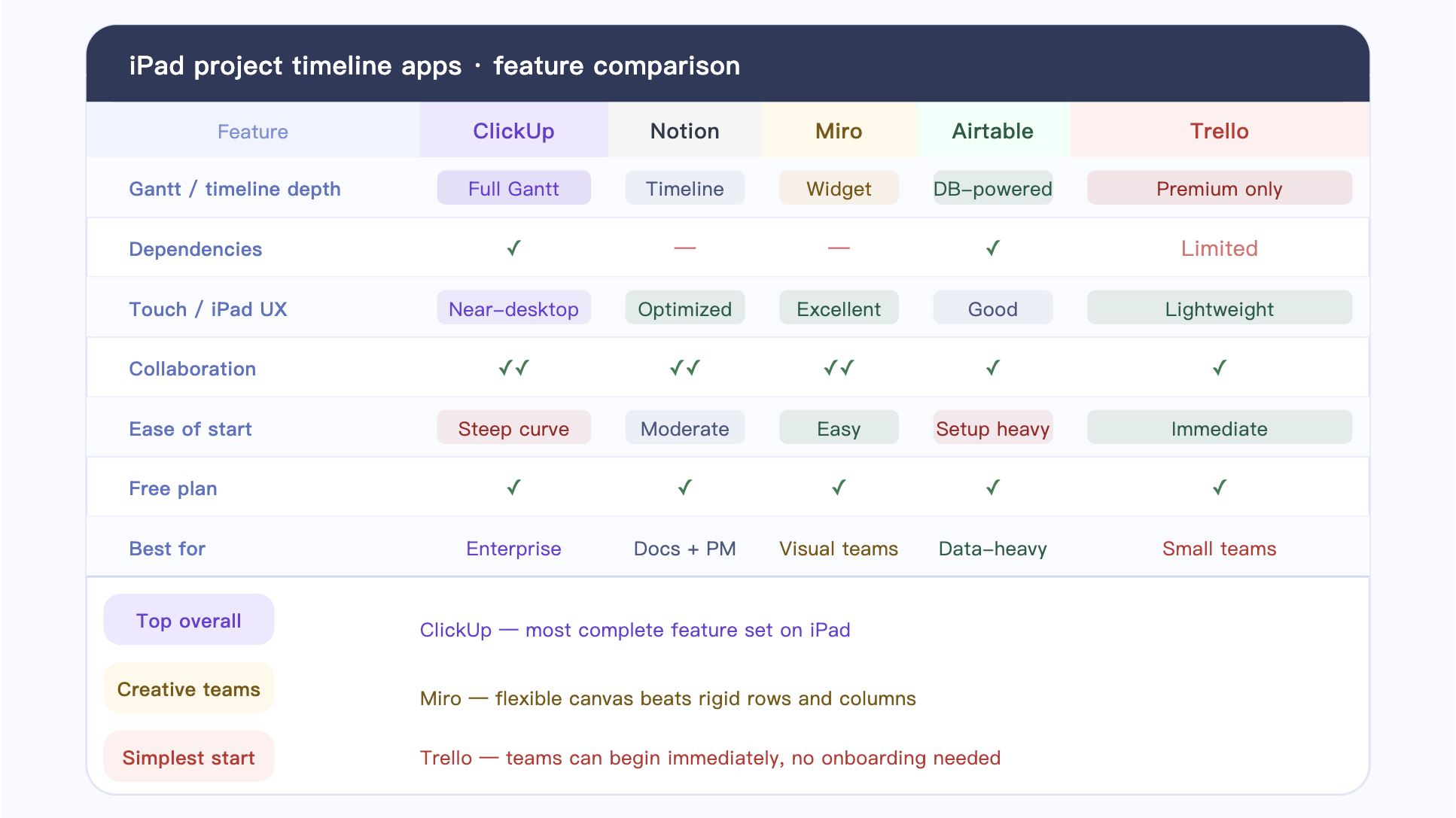
If you need a serious, enterprise-style project management system with dependencies, workload management, and detailed tracking, ClickUp is the strongest overall option. It offers the most complete feature set while still working surprisingly well on an iPad.
If your workflow is more collaborative and creative, Miro stands out for brainstorming, planning, and visual mapping. It feels far more flexible than traditional timeline software.
If your priority is simplicity and fast adoption, Trello remains one of the easiest tools to recommend. Teams can start using it almost immediately without extensive onboarding.
That said, no project management app is perfect for everyone. The smartest approach is to test each platform with a real project before fully committing. The best tool is rarely the one with the longest feature list — it’s the one that matches the way your brain naturally organizes work and time.





