

Not Just Hand Motions: The Best Apps That Actually Make Learning ASL Feel Human
Most people discover very quickly that American Sign Language cannot be learned effectively through text alone.
Watching static diagrams or memorizing isolated vocabulary words rarely works for long. ASL relies heavily on motion, facial expression, timing, spatial awareness, and real conversational rhythm — things that simply do not translate well through traditional flashcards.
That is exactly why visually focused ASL learning apps have improved dramatically over the past few years.
The best apps now use native Deaf signers, slow-motion demonstrations, interactive quizzes, conversational lessons, fingerspelling practice, and visual repetition systems that make beginner learning far more approachable than older classroom-style materials.
But after testing the most popular ASL apps currently available on the US Apple App Store and Google Play Store in 2026, one thing became very obvious: many apps still oversimplify ASL into isolated gestures without teaching how real communication actually works.
For this guide, the testing focused specifically on beginner-friendly ASL apps that teach visually through video, interaction, and real-world signing examples rather than heavy text instruction.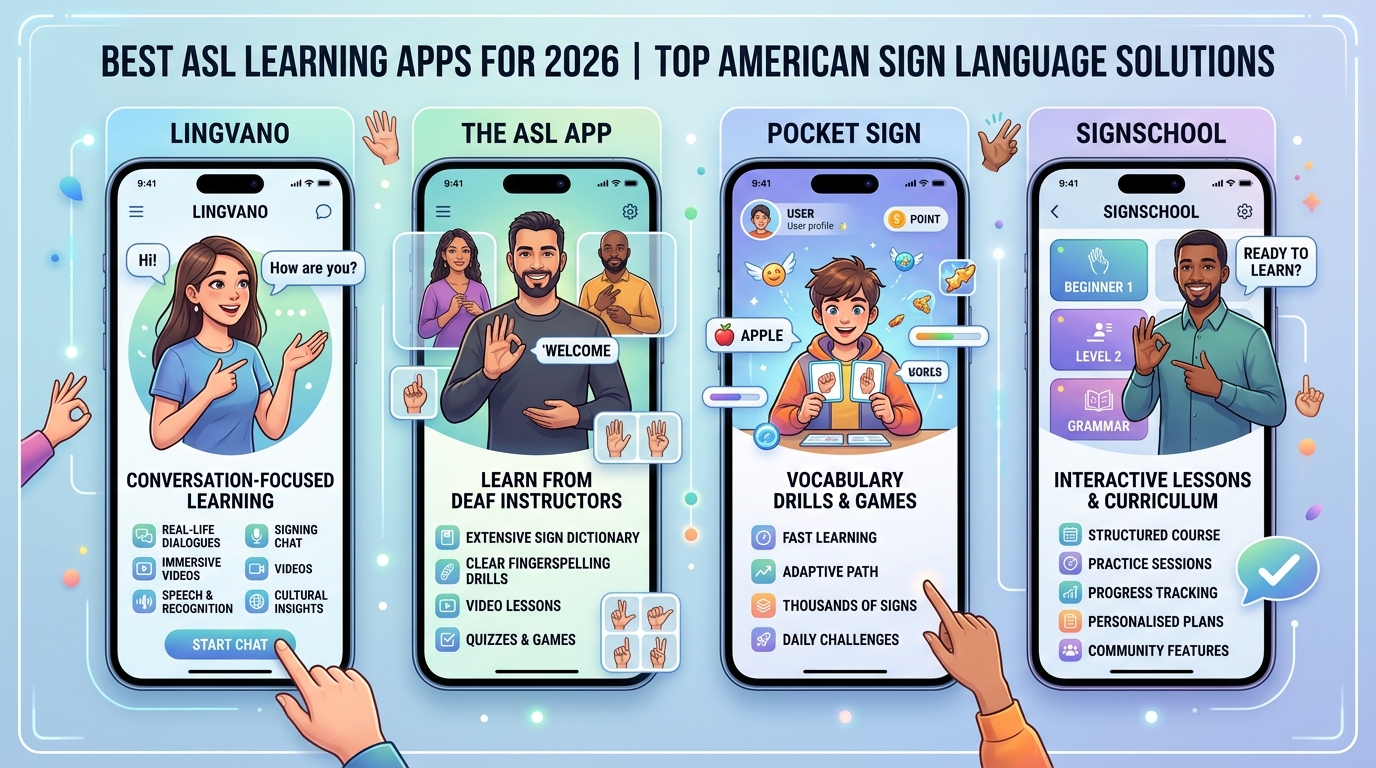
The evaluation criteria included:
Visual teaching quality
Accuracy of sign demonstrations
Beginner accessibility
Conversational usefulness
Fingerspelling practice
Pricing transparency
Long-term learning engagement
These were the apps that genuinely stood out.
Lingvano (iOS & Android)
The Reality Check: The Closest Thing to “Duolingo for ASL” That Actually Works
Lingvano consistently delivered the strongest overall beginner experience during testing.
The app teaches ASL primarily through short video-based lessons led by Deaf signers, and that distinction matters immediately. Instead of relying on robotic animations or static illustrations, learners watch real facial expressions, body language, and conversational pacing from the start. Multiple reviews still rank Lingvano among the best ASL apps for beginners in 2026.
During testing, the biggest advantage was lesson structure.
Rather than teaching isolated vocabulary lists, Lingvano introduces phrases and sentence-building early, which helps users feel capable of basic communication much faster. The visual repetition system also worked extremely well for memory retention.
Another standout feature is the “sign mirror” training tool, which allows learners to compare their gestures with instructors in real time. Several independent reviewers specifically praised this feature for helping beginners spot hand-position mistakes early.
The app’s pacing also felt ideal for busy adults. Lessons are short enough to complete consistently without feeling academically overwhelming.
However, Lingvano is still primarily a beginner-to-intermediate learning platform. Advanced learners looking for deeper ASL grammar, regional variation, or live conversational correction may eventually outgrow it. Reddit discussions among ASL learners also repeatedly note that apps should supplement — not replace — real interaction with Deaf teachers or communities.
The app offers limited free lessons, while full access requires a subscription generally priced around $17.99 monthly or discounted annual plans.
Pros
Excellent video instruction from Deaf signers
Strong beginner lesson structure
Helpful sign mirror practice tool
Very engaging visual design
Good conversational focus
Cons
Subscription is expensive
Limited advanced content
Not a replacement for live interaction
The ASL App (iOS & Android)
The Reality Check: The Most Natural “Real Conversation” Feeling
The ASL App felt less like a gamified learning platform and more like direct exposure to authentic ASL communication.
Created with input from Deaf educators and signers, the app focuses heavily on video demonstrations and conversational signing rather than quiz-heavy progression systems. It remains one of the most widely recommended beginner ASL apps across learning communities.
During testing, the most noticeable strength was authenticity.
Signs are demonstrated naturally at realistic conversational speeds while still remaining beginner-friendly enough to follow. The app also includes themed vocabulary categories, common phrases, alphabet practice, and practical everyday communication examples.
Unlike some heavily gamified competitors, The ASL App feels more grounded in actual language use rather than dopamine-driven lesson streaks.
The downside is structure.
Some beginners may feel slightly lost compared to Lingvano’s more guided progression system. The app works best for learners who prefer exploration and repeated visual exposure over formal lesson sequencing.
Another limitation is that the design feels somewhat older compared to newer ASL learning platforms.
The core app includes free content, while expanded lesson packs and premium materials are available through additional purchases depending on platform.
Pros
Strong authentic signing demonstrations
Real conversational feel
Excellent practical vocabulary
Created with Deaf community involvement
Less gimmicky than competitors
Cons
Less structured progression
Older interface design
Limited advanced interactivity
Pocket Sign (iOS & Android)
The Reality Check: The Best App for Building Fast Everyday Vocabulary
Pocket Sign performed especially well during testing for learners who want to rapidly expand practical signing vocabulary.
The app uses short visual lessons, quizzes, category-based learning, fingerspelling exercises, and daily challenges to reinforce commonly used signs. Several reviews still rank Pocket Sign among the strongest vocabulary-focused ASL apps available.
During testing, one of the most useful features was repetition design.
The app constantly revisits previously learned signs through quick visual quizzes and phrase exercises, which genuinely helped long-term retention better than passive video watching alone.
Pocket Sign also includes a large searchable sign dictionary that proved surprisingly valuable during everyday practice sessions.
Another advantage is pacing flexibility. Lessons are short enough to complete in just a few minutes, making the app ideal for commuters or casual daily learning.
However, the app focuses much more heavily on vocabulary acquisition than deep ASL grammar or conversational nuance. Some advanced learners may eventually find it repetitive.
The free version includes limited daily lessons, while premium subscriptions typically cost around $5.99 monthly or $59.99 annually.
Pros
Excellent vocabulary reinforcement
Strong fingerspelling practice
Large searchable dictionary
Short and approachable lessons
Affordable compared to competitors
Cons
Grammar instruction is limited
Can feel repetitive over time
Less conversational depth
SignSchool (iOS & Android)
The Reality Check: The Best Free ASL Learning Resource
SignSchool stood out immediately during testing because it offers an unusually large amount of genuinely useful free content.
The app teaches ASL through visual lessons, quizzes, category libraries, fingerspelling exercises, and topic-based vocabulary collections. Multiple 2026 ASL app roundups continue recommending SignSchool as one of the strongest free options available.
During testing, the biggest advantage was accessibility.
New learners can practice extensively without immediately running into aggressive paywalls or subscription barriers. That alone makes SignSchool appealing for students, parents, teachers, or casual learners testing whether they want to commit seriously to ASL.
The app also includes multiple signers and varied presentation styles, which helps expose learners to slightly different signing rhythms and appearances.
However, the experience feels less polished than Lingvano or Pocket Sign. Navigation occasionally felt inconsistent, and lesson progression lacked the same sense of momentum found in more premium competitors.
Still, for a mostly free learning platform, the amount of visual educational material available is genuinely impressive.
The app is free to use with optional donations and premium enhancements depending on platform availability.
Pros
Excellent free content library
Strong beginner accessibility
Good vocabulary variety
Multiple signers improve exposure
Minimal financial barrier
Cons
Less polished interface
Weaker structured progression
Some lessons feel inconsistent
The Final Verdict
For beginners specifically trying to learn basic ASL visually and build real conversational confidence, Lingvano stood out as the strongest overall option in 2026.
It consistently delivered the best combination of visual clarity, structured progression, interactive practice, and beginner-friendly pacing during testing. Most importantly, it made ASL feel approachable without stripping away the human visual communication that makes the language unique.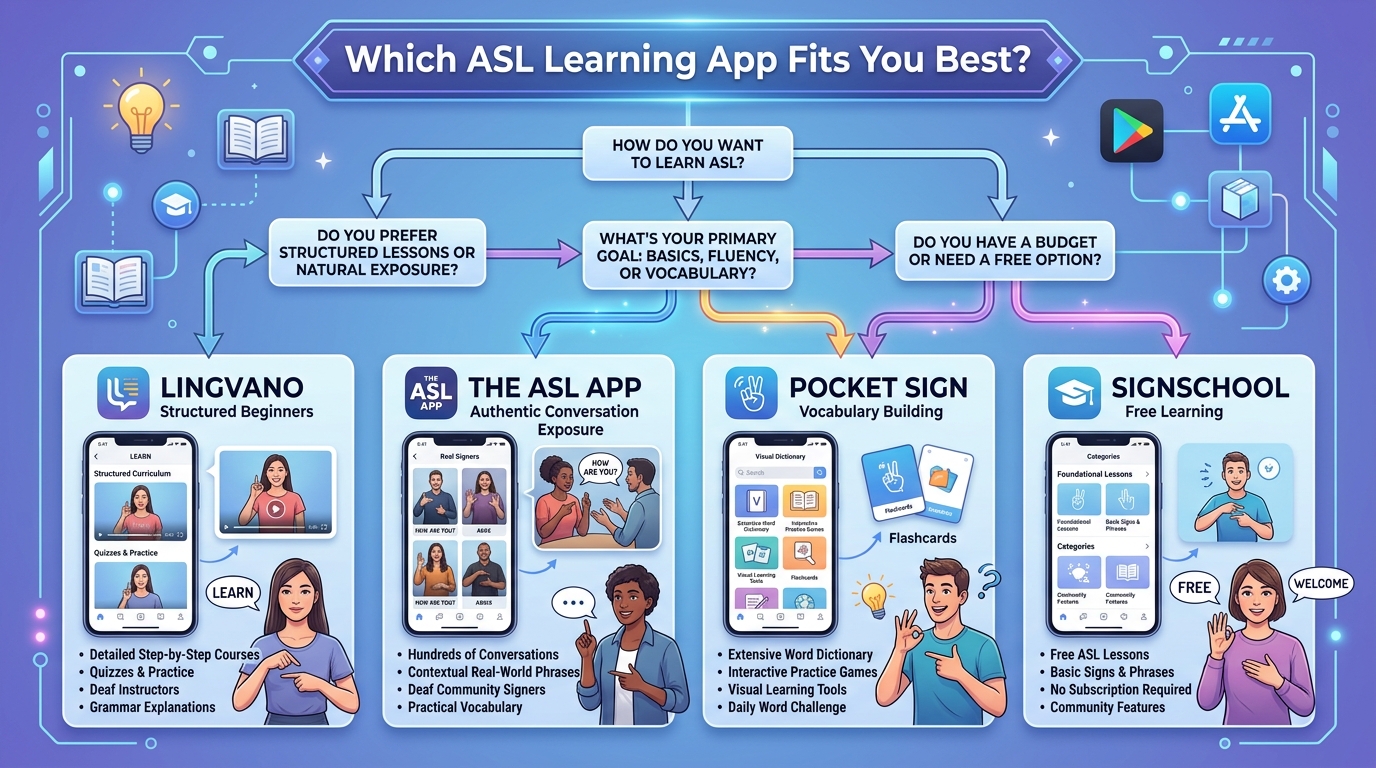
That said, the best app still depends heavily on learning style:
Choose Lingvano for the best overall beginner experience.
Choose The ASL App for more authentic conversational exposure.
Choose Pocket Sign for rapid vocabulary building.
Choose SignSchool for the strongest free learning option.
The biggest lesson from testing these apps is that ASL is not simply a collection of hand gestures. It is a fully visual language built around expression, motion, rhythm, and human interaction. The best apps recognize that — and teach accordingly.





