

How to Track Every Moving Box: 5 Best QR Inventory Apps in 2026
Moving always starts with optimism.
You buy sturdy boxes, promise yourself you’ll label everything properly, and maybe even create a color-coded system for each room. But somewhere around box number forty, the process usually falls apart. Suddenly you’re writing labels like “Random Kitchen Stuff” or “Office ???” just to keep things moving.

A few weeks later, you’re standing in your new apartment digging through sealed boxes trying to find a phone charger, coffee filters, or that one pan you actually use every day.
The good news is that moving inventory apps have gotten much better in recent years. Instead of relying on handwritten labels and memory, you can now generate QR codes for boxes, scan them with your phone, and instantly see what’s inside. Some apps even let you attach photos, organize items by room, and search your inventory like a digital database.
To find the best options, we tested popular inventory-management apps across both iOS and Android. We focused on apps that were genuinely practical for moving: fast QR code scanning, easy box organization, reliable syncing, and interfaces that don’t become frustrating after a long day of packing.
Here are the five apps that stood out the most.
1. SmartBox: Boxes & QR Labels(iOS/Android)
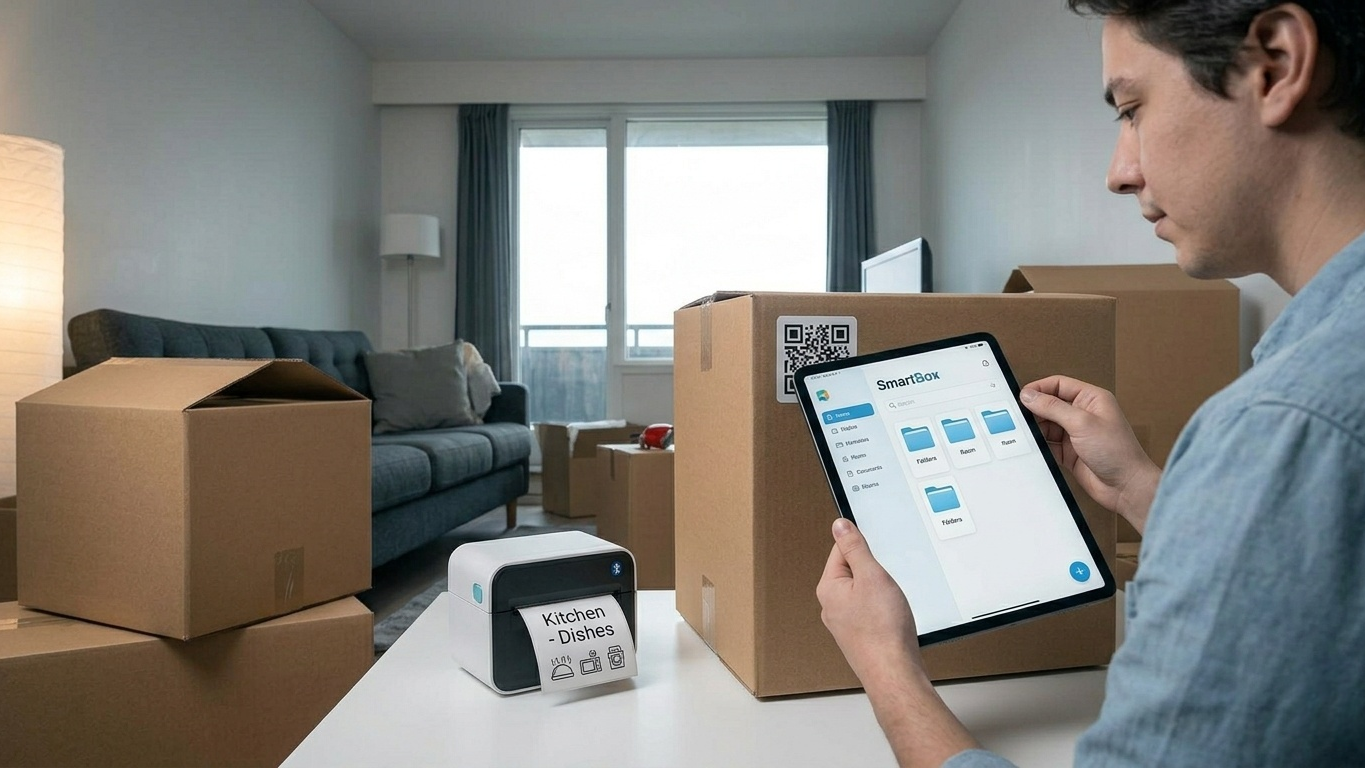
SmartBox feels like it was designed specifically for residential moves rather than warehouse inventory management. From the moment we started using it, the app focused on the real problems people face while packing: keeping track of boxes, labeling them clearly, and finding things quickly later.
The Reality Check
The most useful feature is easily the built-in label designer. Instead of printing generic QR stickers, you can customize labels with names, categories, icons, and even photos. During testing, the scanning process was smooth and reliable, and the optional NFC tag support added another convenient way to identify boxes quickly.
The app also keeps the overall experience surprisingly clean. Rather than overwhelming you with complicated menus, it focuses on the essentials: box tracking, inventory organization, and fast retrieval.
Pros & Cons
Pros:
Clean and beginner-friendly interface.
Custom QR label printing works well with standard home printers.
NFC support offers additional flexibility for advanced users.
Cons:
Only available on iOS.
Better suited for personal moves than large-scale inventory management.
Pricing: Free version available, with optional paid upgrades and lifetime purchase options.
2. Sortly: Inventory Simplified(iOS/Android)
Sortly is probably the most polished inventory-management app on this list. Although it’s widely used by businesses, it adapts surprisingly well to personal moves—especially if you’re dealing with a large home, valuable equipment, or long-term storage.
The Reality Check
What makes Sortly stand out is its visual organization. Instead of relying only on text labels, you can attach multiple photos, notes, tags, and even serial numbers to each item or box. Scanning a QR code instantly opens the full contents list, which becomes incredibly helpful once you’re surrounded by stacked cartons.
We also found its folder system especially useful for multi-stage moves. You can separate items by room, storage unit, or destination without losing track of where everything belongs.
Pros & Cons
Pros:
Excellent QR and barcode support.
Strong photo-based inventory system.
Works smoothly across iPhone, Android, tablet, and web.
Cons:
Some advanced features require a subscription.
May feel slightly overpowered for smaller apartment moves.
Pricing: Free plan available with limitations; premium plans unlock advanced inventory and reporting tools.
3. Boxes: Storage Made Simple(iOS/Android)
If enterprise-style inventory systems feel too complicated, Boxes takes a much lighter approach. The app is designed around simplicity, which makes it surprisingly enjoyable to use during a stressful move.
The Reality Check
The app organizes belongings using “Spaces,” allowing you to group boxes by room, closet, or storage area. One feature we particularly liked was the ability to track boxes even after they change locations. If you move a box from your apartment into temporary storage, the app keeps the inventory history organized without forcing you to rebuild everything manually.
Boxes also avoids clutter. There aren’t endless dashboards or analytics panels competing for your attention. That simplicity makes a difference when you’re already exhausted from packing.
Pros & Cons
Pros:
Very easy learning curve.
Clean organization system for rooms and categories.
Good option for casual users who dislike overly technical apps.
Cons:
Limited advanced customization.
Only available on iOS.
Pricing: Free to start, with optional in-app purchases.
4. MOVINGBOXES & Home Inventory(iOS/Android)
Unlike some inventory tools that feel adapted from warehouse software, MOVINGBOXES & Home Inventory is clearly built with moving in mind. The app focuses heavily on helping you locate things quickly after the move is over.
The Reality Check
Its strongest feature is the full-text search function. Instead of remembering which QR code belongs to which box, you can simply search for an item name like “coffee grinder” or “Ethernet cable,” and the app tells you exactly where it’s stored.
We also appreciated the moving-focused extras, including box-value tracking and estimated volume calculations. Those features are genuinely useful when planning truck space or keeping records for insurance purposes.
The interface is not the most modern-looking app on this list, but it gets the job done reliably.
Pros & Cons
Pros:
Excellent search functionality.
Helpful PDF export options for insurance or organization.
Available on both Android and iOS.
Cons:
User interface feels somewhat outdated.
Free version includes ads and feature limitations.
Pricing: Free version available; premium upgrades unlock exports and additional inventory tools.
5. BoxHero(iOS/Android)
BoxHero is technically aimed at small businesses, but it works surprisingly well for personal moves—especially if you already like using spreadsheets or detailed lists.
The Reality Check
What stood out most during testing was how fast the app felt. Adding items, generating QR labels, and organizing categories all happened without much friction. The Excel import feature was particularly useful because many people already begin planning their move in spreadsheets before switching to an inventory app.
The collaboration features are also worth mentioning. If you’re moving with a partner, roommate, or family member, multiple people can update the inventory in real time without creating duplicate lists.
Pros & Cons
Pros:
Smooth and responsive mobile experience.
Excellent spreadsheet and Excel import support.
Real-time collaboration features work well.
Cons:
Designed more for inventory tracking than moving logistics.
Lacks some moving-specific tools found in dedicated relocation apps.
Pricing: Free plan available; advanced business features require a subscription.
The Final Verdict
The best app really depends on how organized you want your move to be—and how much effort you’re willing to put into tracking everything.

If you’re handling a large move with expensive equipment, collectibles, or storage units, Sortly is the strongest all-around option. Its photo tracking, QR system, and cross-platform reliability make it the closest thing to a professional inventory solution for consumers.
For most people, though, MOVINGBOXES & Home Inventory strikes the best balance between simplicity and practicality. The search feature alone can save you hours of frustration once you’re unpacking.
Meanwhile, Apple users who want the cleanest and most polished labeling experience will probably enjoy SmartBox the most, especially for smaller household moves.
No matter which app you choose, the biggest tip is simple: scan boxes while you pack them, not afterward. It takes a few extra seconds in the moment, but future-you will be grateful when you can instantly locate your coffee maker instead of opening fifteen nearly identical boxes.





