

From Nervous to Confident: 4 Apps That Improve Speech Delivery
Most people don’t realize how fast they speak until they hear a recording of themselves.
You rehearse a presentation in your head, feel reasonably prepared, then step in front of an audience and suddenly race through your slides like you are trying to beat a stopwatch. Nervous energy tends to speed everything up: your breathing gets shallow, your pauses disappear, and important points blur together before listeners have time to absorb them.
On the other hand, slowing down too much can feel just as uncomfortable. Long hesitations, awkward silence, and uneven pacing can make even strong content sound uncertain.
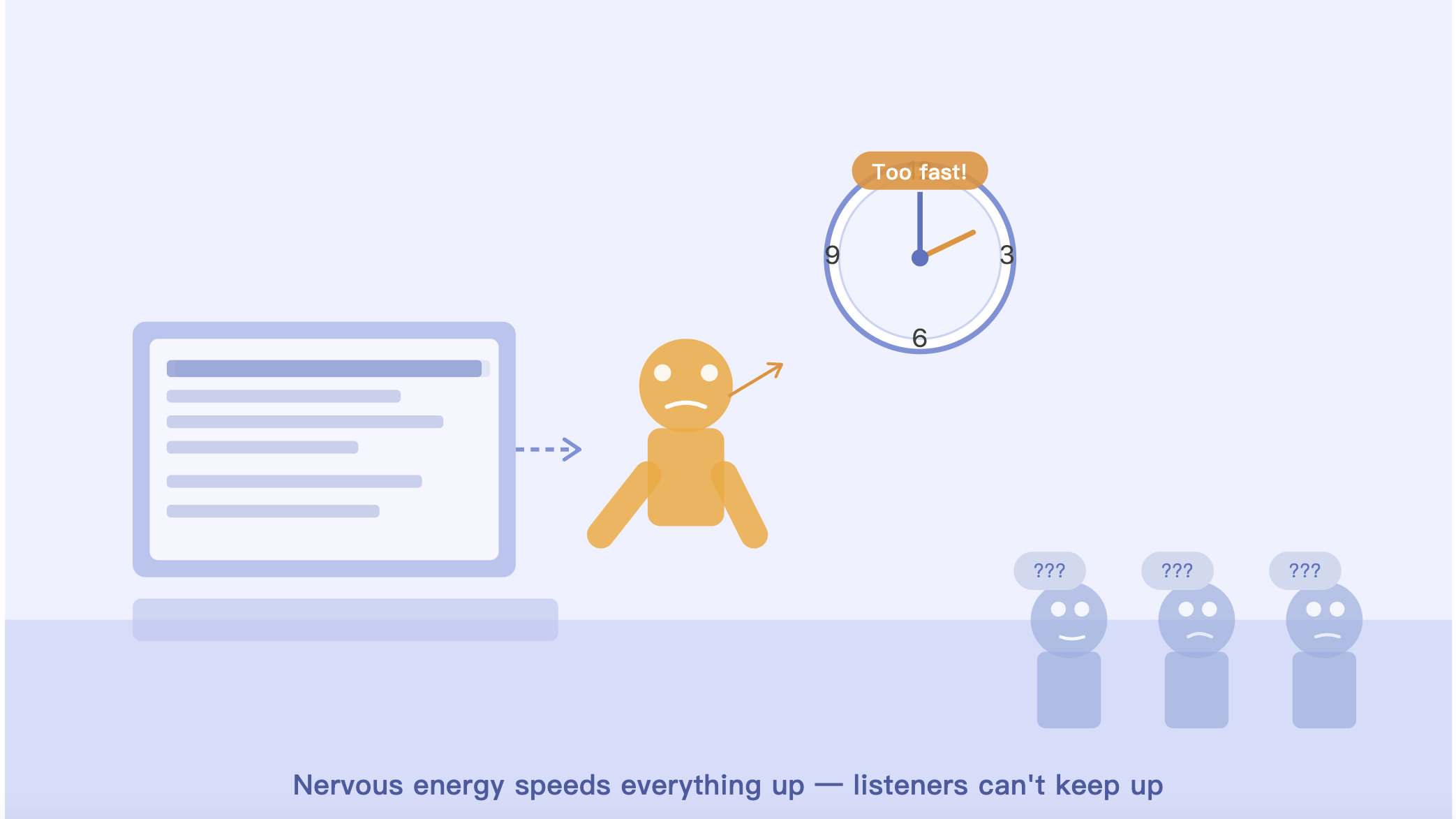
The problem is that vague advice like “slow down” or “speak more clearly” is rarely useful. To actually improve your delivery, you need measurable feedback. How fast are you speaking? Where do you rush? Are filler words increasing when you lose your rhythm?
To answer those questions, we tested several Android-compatible speech coaching and pacing apps currently available on the Google Play Store. We evaluated them based on pacing analysis accuracy, usability, feedback quality, and how practical they are for real-world presentations, interviews, and meetings.
Here are four apps that genuinely help you become a calmer, more controlled speaker.
1. Orai — Best Overall Speaking Coach(iOS/Android)
Pricing: Free trial available; premium plans start around $10/month
Orai is probably the closest thing to having a personal speaking coach in your pocket.
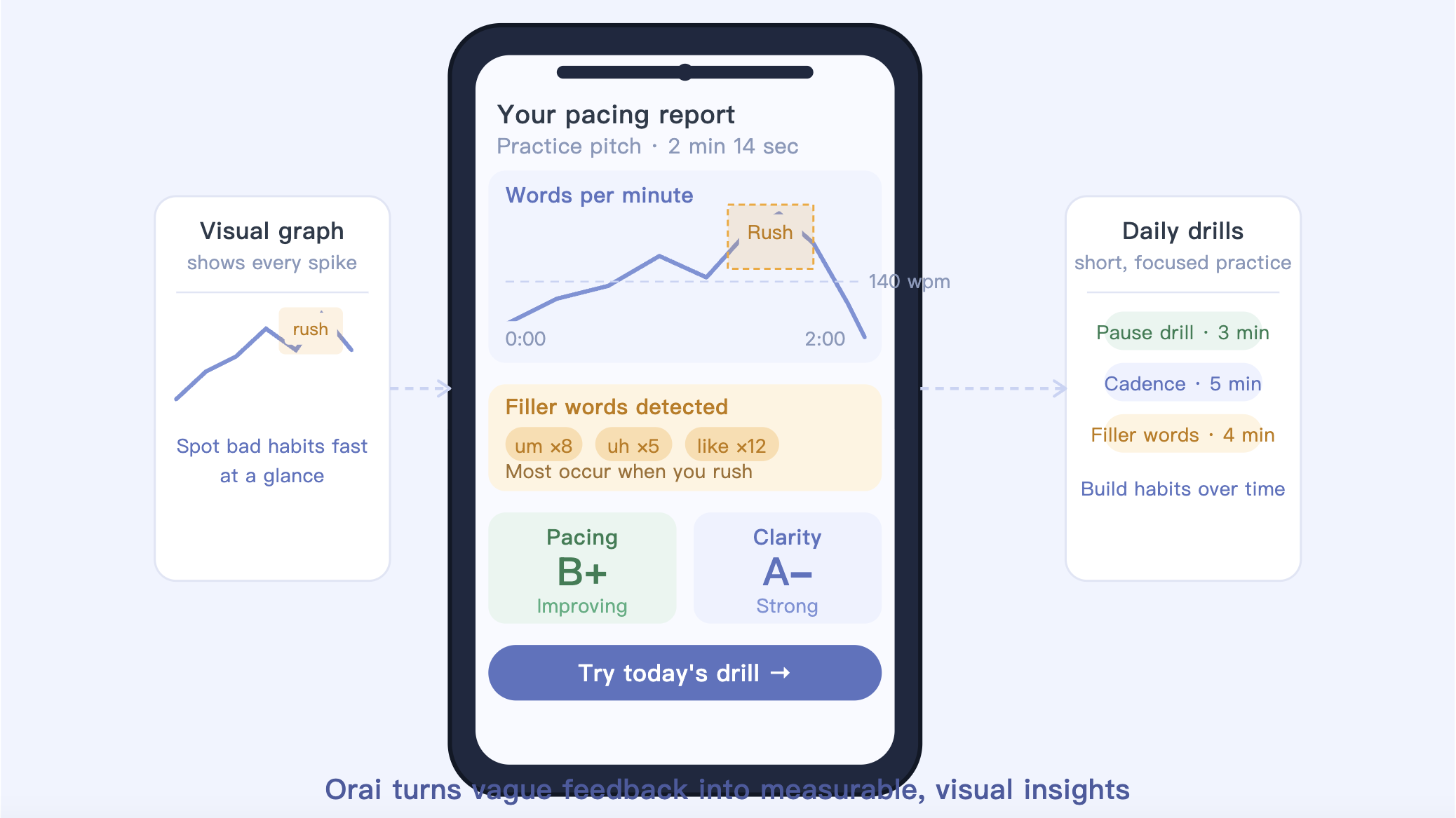
Instead of simply recording your voice, the app breaks your delivery down into measurable metrics, including words per minute (WPM), filler-word frequency, vocal energy, and pacing consistency. During testing, it immediately flagged when speech speed drifted beyond a comfortable conversational range.
What makes Orai especially useful is how visual the feedback feels. After recording a presentation or practice pitch, the app generates pacing graphs that clearly show where you sped up, slowed down, or stumbled. That level of detail makes it much easier to spot bad habits than simply listening to yourself replay a recording.
The app also connects pacing problems to filler words. In practice, we noticed that rushed sections often triggered more “um,” “uh,” and repeated phrases — something the software identifies automatically.
Its short daily exercises are surprisingly effective as well. Rather than overwhelming you with long lessons, Orai focuses on quick drills designed to improve cadence, pauses, and confidence over time.
What Works Well
Excellent real-time pacing and WPM analysis
Clear visual feedback that is easy to understand
Helpful filler-word detection
Short practice exercises that feel manageable
Downsides
Many advanced features require a subscription
The amount of data can feel overwhelming at first
Some reports take a moment to process on older phones
For most professionals, students, or interview candidates, Orai offers the best balance between accessibility and genuinely actionable feedback.
2. Orato — Best for Practicing Presentations(iOS/Android)
Pricing: Free download with optional paid upgrades
If Orai feels like a broad public-speaking coach, Orato is more focused on presentation rehearsal.
The app works especially well for people practicing structured speeches, keynote presentations, or interview answers. You can upload prepared scripts directly into the app and rehearse while tracking your pacing and pauses.
What stood out during testing was Orato’s pause analysis. Many speaking apps focus almost entirely on speed, but pacing is really about rhythm. Good presenters know when to stop briefly and let important ideas land.
Orato does a nice job separating intentional pauses from hesitant dead air. After each recording, it highlights uneven delivery patterns — for example, sections where you rushed several sentences together before suddenly slowing down.
The interface is also refreshingly simple. Compared with some analytics-heavy speaking apps, Orato feels clean and approachable, which makes it easier to use consistently.
What Works Well
Strong focus on pacing rhythm and pause quality
Great for rehearsing scripts and presentations
Clean, beginner-friendly interface
Useful for both prepared speeches and improvised speaking
Downsides
Longer recordings can take time to analyze
Fewer advanced voice analytics than some competitors
Premium features are gradually becoming more paywalled
If your biggest issue is sounding rushed or uneven during presentations, Orato provides some of the clearest pacing feedback available on mobile.
3. Metronome Beats — Best Low-Tech Training Tool(iOS/Android)
Pricing: Free with ads; inexpensive one-time premium upgrade
Metronome Beats is not technically a speech-coaching app at all. It was originally designed for musicians.
And yet, it turned out to be one of the most effective pacing-training tools we tested.
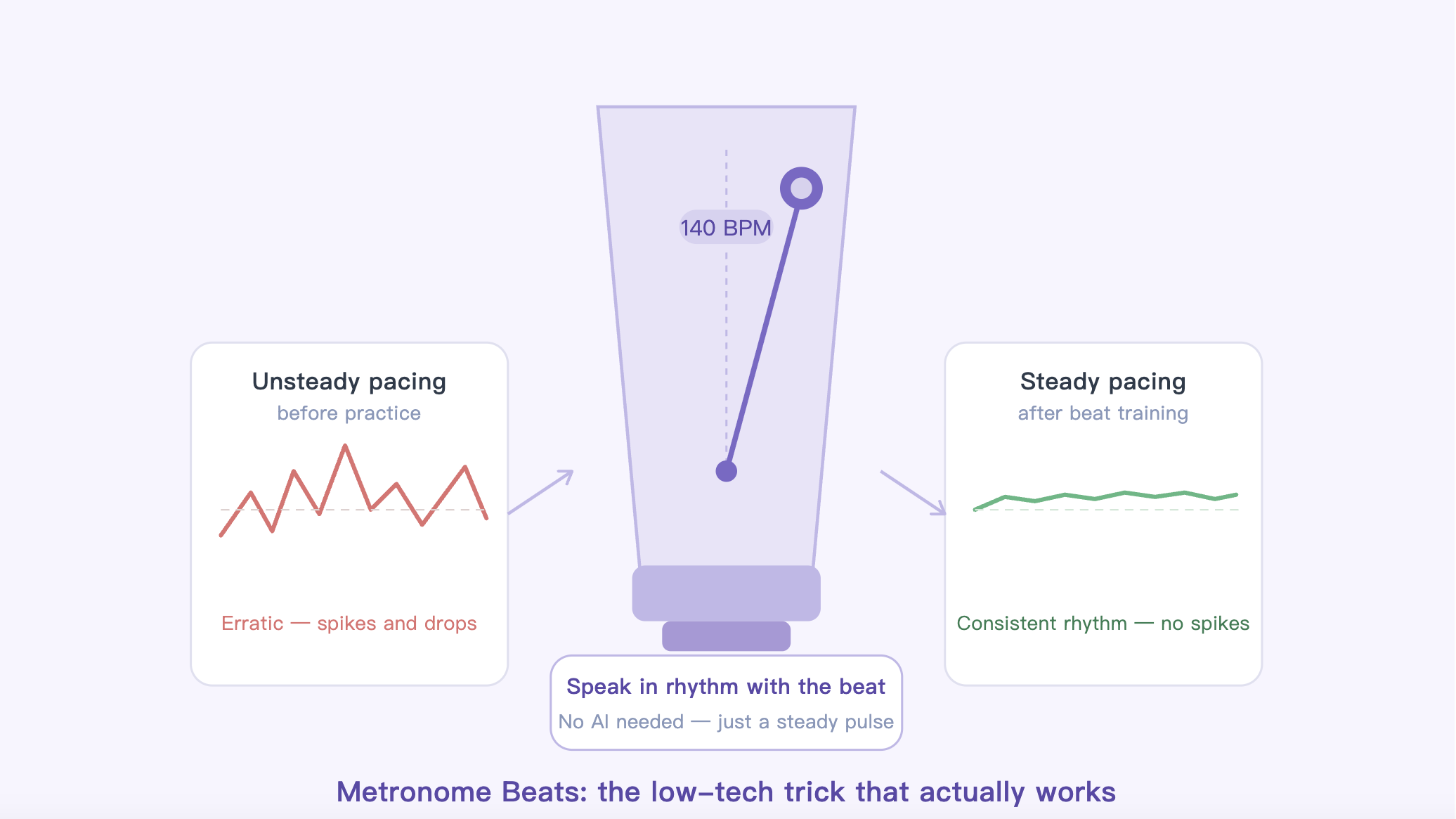
The concept is simple: set a tempo, start the metronome, and practice speaking in rhythm with the beat. Many speech coaches recommend this technique because it physically trains your brain to slow down and maintain consistent cadence.
For example, if you are targeting roughly 140 words per minute — a comfortable speaking pace for presentations — you can set a matching beat pattern and practice reading aloud alongside it.
Unlike AI-powered coaching apps, Metronome Beats gives you no automated feedback whatsoever. There are no transcripts, analytics, or performance scores. But that simplicity is exactly why it works.
During testing, the steady audio rhythm forced more deliberate breathing and cleaner pauses. It was especially effective for speakers who naturally accelerate under pressure.
What Works Well
Extremely lightweight and distraction-free
Effective for training steady cadence
Works offline with minimal battery usage
One-time purchase instead of ongoing subscription
Downsides
No speech analysis or AI feedback
Requires manual setup and experimentation
Less useful for people who want guided coaching
If you already know you speak too quickly, Metronome Beats can help retrain your pacing habits surprisingly well.
4. Voice Analyst — Best for Deep Vocal Analysis(iOS/Android)
Pricing: Around $14.99 one-time purchase
Voice Analyst approaches speaking improvement from a completely different angle.
Rather than acting like a motivational coach, it functions more like a professional voice-analysis tool. The app is widely used in speech therapy and vocal training, and its level of detail is much deeper than most presentation apps.
Instead of grading your speech with generalized AI scores, Voice Analyst visualizes your vocal pitch, volume, and speaking patterns through detailed graphs.
That may sound overly technical, but the insights can be genuinely useful.
During testing, we noticed a clear pattern: when speakers became nervous and sped up, their pitch often rose while vocal volume became inconsistent. Voice Analyst makes these changes highly visible, helping users understand how breathing and pacing affect vocal control overall.
The app is not especially beginner-friendly, though. The graphs and analysis tools can feel intimidating if you simply want quick speaking tips.
What Works Well
Highly detailed voice and pitch analysis
One-time purchase with no subscription
Excellent for long-term speaking improvement
Useful for understanding breathing and vocal strain
Downsides
Steeper learning curve than other apps
No automated transcripts or presentation scoring
Interface feels more clinical than motivational
Voice Analyst is best suited for serious speakers, coaches, broadcasters, or anyone who wants a deeper understanding of how their voice behaves under pressure.
The Final Verdict
The best app depends on what kind of speaking problem you are trying to fix.
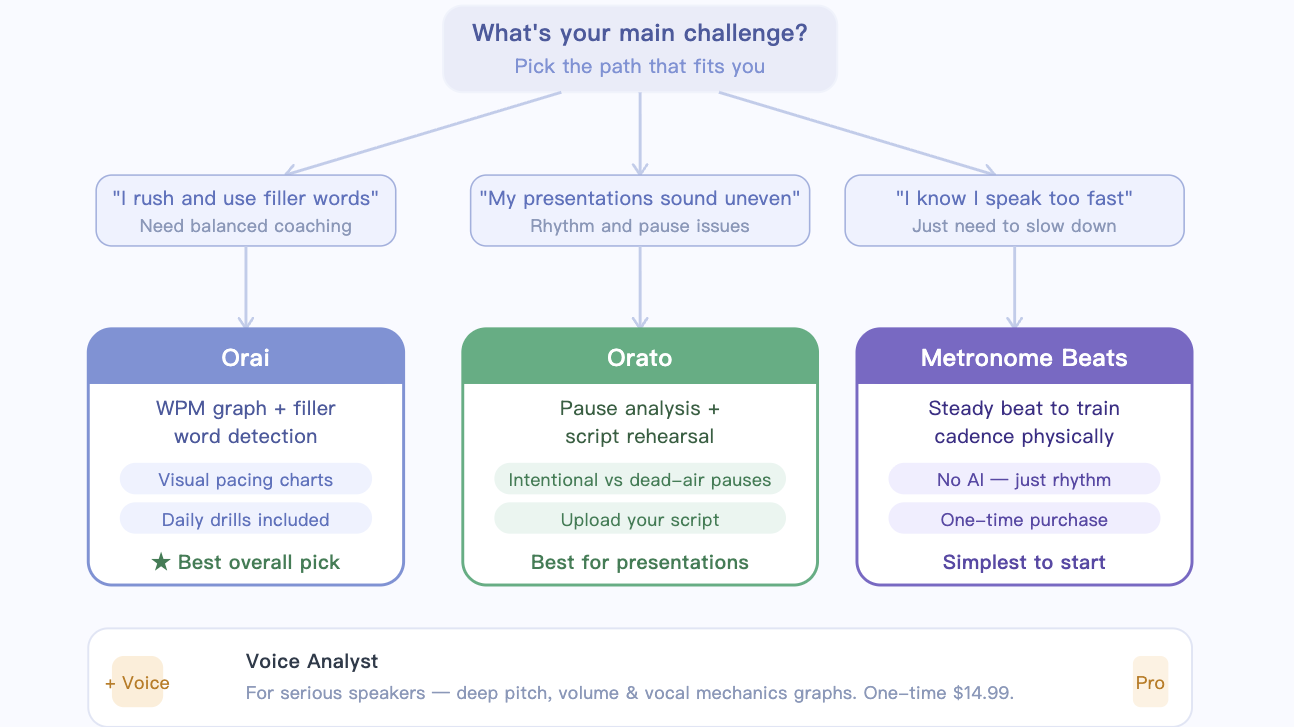
If you want the most balanced overall coaching experience, Orai is the strongest choice. Its pacing analysis, filler-word tracking, and visual feedback make it especially helpful for interviews, presentations, and public speaking practice.
If you mainly struggle with presentation rhythm and awkward pauses, Orato feels more focused and approachable.
For people who simply need to slow down and develop steadier cadence, Metronome Beats remains one of the simplest and most effective training tools available.
And if you want highly technical feedback about your voice mechanics, Voice Analyst provides a level of detail most speaking apps cannot match.
The important thing is consistency. Speaking pace is a habit, and like any habit, it improves through repetition. Even ten minutes of focused practice per day can make you sound calmer, clearer, and far more confident the next time you step in front of an audience.





