

Ditch the Tape Measure: 3 Best Phone Camera Apps to Scan and Measure Any Room (2026)
There’s a very specific kind of frustration that comes with using a traditional tape measure indoors. It bends at the worst possible moment, slips out of place, catches on furniture, and somehow always leaves one person stretched awkwardly across the room trying not to lose the measurement.
That’s exactly why room-measuring apps have become so popular over the past few years. Modern smartphones — especially devices equipped with LiDAR sensors and advanced AR capabilities — can now measure walls, scan rooms, and even generate full floor plans directly from a phone camera.
But after testing dozens of these apps, one thing became obvious: the technology is impressive, but the software quality varies wildly.
Some apps are excellent for quickly checking whether a couch fits through a doorway. Others are built for serious renovation planning and can generate detailed 2D or 3D floor plans. And quite a few are simply overloaded with ads, inaccurate measurements, or aggressive subscription pop-ups.
To separate the genuinely useful tools from the gimmicks, several leading apps were tested in real-world conditions across both iPhone and Android devices. Measurements were compared against a Bosch laser distance meter to check practical accuracy, not just marketing claims.
These three apps consistently delivered the best overall experience.
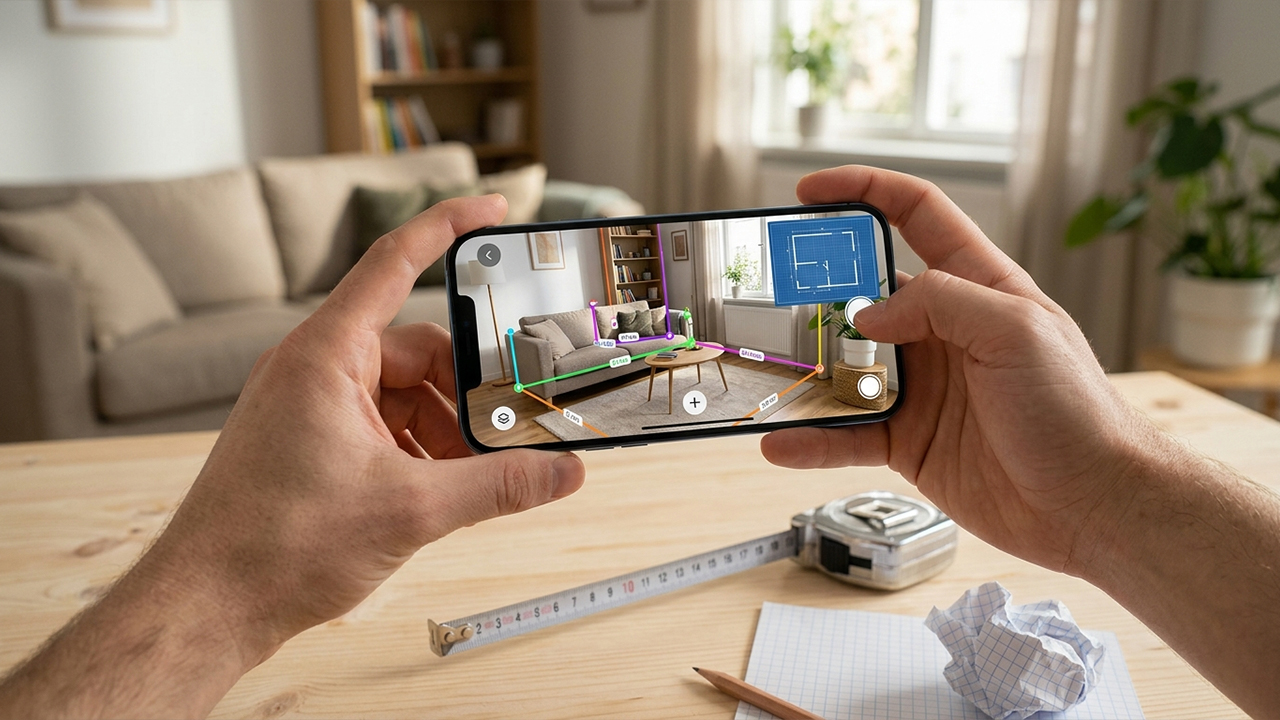
1. Magicplan (iOS & Android)
Available on: App store, Google Play
The Reality Check: What Actually Works?
For users who want to map entire rooms instead of taking a single quick measurement, Magicplan remains one of the most practical apps currently available.
Instead of requiring users to slowly “paint” every wall with the camera, Magicplan uses a corner-targeting system that feels much more reliable in everyday use. Users stand in the center of the room and place virtual markers at floor corners while the app builds a floor plan in real time.
During testing in a standard bedroom, the app generated a surprisingly accurate room layout in under two minutes. Door openings, wall lengths, and square footage calculations were all reasonably close to measurements captured with a laser distance tool.
One of Magicplan’s biggest strengths is workflow organization. Projects can be saved, edited later, exported as PDFs, and shared across devices. That makes it far more useful for real remodeling projects than basic AR ruler apps.
It’s also one of the few apps that still works reasonably well in furnished rooms because the corner-based system avoids many of the tracking issues caused by furniture blocking walls.
Pros & Cons
Pros:
Excellent for creating full room layouts
Clean and professional floor-plan exports
Reliable room-corner detection
Helpful material and area calculations
Works on both Android and iPhone
Cons:
Free version feels restrictive
Advanced exports require a subscription
Learning curve is steeper than simpler apps
Accuracy still depends on careful scanning
Pricing Model
Free to download with limited projects. Premium exports and advanced features require a subscription starting around $9.99/month.
2. Polycam (iOS & Android)
Available on: App store, Google Play
The Reality Check: What Actually Works?
Polycam feels less like a traditional measuring app and more like a portable 3D scanning tool.
On LiDAR-equipped iPhones and iPads, the app can generate highly detailed digital versions of rooms by simply walking through the space while pointing the camera around the environment. Walls, furniture, windows, and room geometry are captured together inside a realistic 3D model.
During testing in a cluttered living room with irregular wall angles, Polycam performed far better than expected. Many AR measuring apps struggle when furniture blocks corners or walls, but Polycam handled these situations surprisingly well thanks to Apple’s RoomPlan integration.
The resulting scans looked impressive, and measurements inside the generated 3D model stayed consistently close to laser-measured dimensions.
That said, Polycam is probably overkill for someone who only wants quick measurements before buying furniture. Its biggest strengths are visualization, spatial scanning, and advanced exports for designers, architects, and renovation planning.
Battery drain is also noticeable during long scanning sessions.
Pros & Cons
Pros:
Outstanding 3D room scanning
Handles irregular spaces very well
Captures furniture alongside room structure
Fast scanning workflow
Excellent export options for design software
Cons:
Best features require LiDAR-compatible iPhones or iPads
Subscription pricing is expensive
Can quickly drain battery life
More complex than casual users may need
Pricing Model
Free basic version available. Advanced exports and cloud features require Polycam Pro, starting around $19.99/month or $99.99/year.
3. AR Plan 3D (iOS & Android)
Available on: App store, Google Play
The Reality Check: What Actually Works?
Many room-scanning apps still feel heavily optimized for Apple hardware. AR Plan 3D stands out because it performs reasonably well even on non-LiDAR Android devices.
The app works by allowing users to trace wall edges and room boundaries using an AR overlay. Once the perimeter is complete, it automatically generates a 2D floor plan and a simple 3D room visualization.
During testing on a Samsung Galaxy device, tracking stability was better than expected. Lesser AR apps often lose alignment and start “floating” away from the wall, but AR Plan 3D stayed relatively stable as long as the lighting conditions were good.
The app also makes it easy to switch between metric and imperial measurements, which is surprisingly useful during renovation projects.
Still, there are limitations. Tracking accuracy drops noticeably in darker rooms or spaces with reflective floors, mirrors, or heavy clutter.
Pros & Cons
Pros:
Strong Android support
Easy-to-understand interface
Generates both 2D and 3D layouts
Stable tracking compared with many Android competitors
Useful area and perimeter calculations
Cons:
Frequent upgrade prompts
Accuracy can drift in poor lighting
Requires steady camera movement
Subscription pricing feels aggressive
Pricing Model
Free download with limited functionality. Full access requires a subscription or paid unlock options.
The Final Verdict
The best room-measuring app ultimately depends on what the user is actually trying to accomplish.
For homeowners, renovators, and contractors who need accurate floor plans and project organization, Magicplan remains the strongest overall choice. Its corner-based scanning system feels more reliable than many fully automated AR alternatives, especially in furnished rooms.
For users with LiDAR-equipped iPhones who want the most impressive spatial scanning experience possible, Polycam is easily the standout. Its ability to generate realistic 3D room models still feels futuristic, and the results are genuinely useful for visualization and design work.
Meanwhile, AR Plan 3D deserves credit for offering one of the better Android-focused experiences, while Apple Measure continues to dominate for fast, free everyday measurements.
The biggest lesson from testing these apps is that hardware matters almost as much as software. Devices with LiDAR sensors consistently produced faster scans, better edge detection, and fewer tracking errors.
Even so, modern room-measuring apps have reached a point where they’re no longer just tech demos. For furniture shopping, renovation planning, apartment moving, or quick DIY projects, the best apps can genuinely save time — and eliminate at least some of the frustration that comes with fighting a traditional tape measure.





