

Ditch the E-Waste Safely: 5 Best US Apps for Electronics Recycling & Data Wipe
Disposing of an old smartphone, laptop, tablet, or hard drive sounds simple—until personal data enters the equation.
During testing, one recurring problem became obvious: most people know they should recycle electronics, but they often have no idea where to find a legitimate recycling organization that handles devices responsibly. Even fewer know whether a recycling center accepts phones, laptops, batteries, or other electronics, or whether it provides guidance on wiping sensitive data before drop-off.
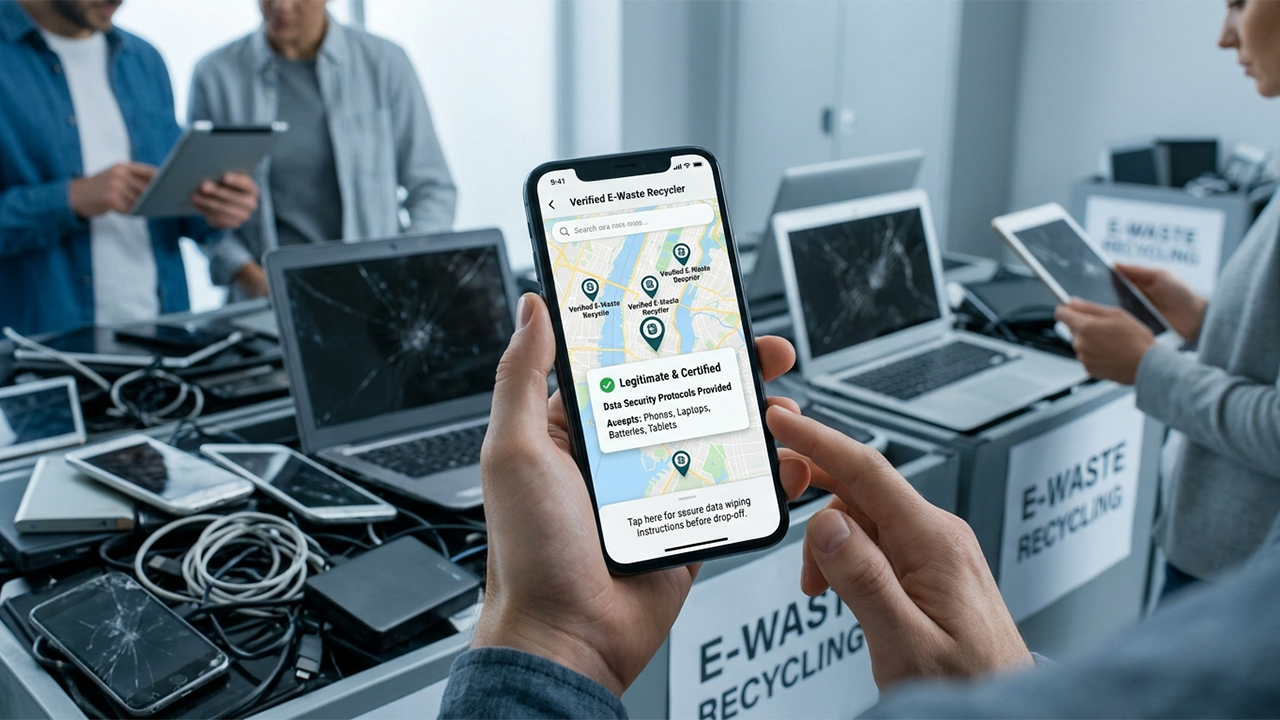
The challenge is not finding a recycling location. The challenge is finding a trustworthy one.
For this review, the focus was on apps and mobile tools that help users identify legitimate local recycling organizations, e-waste collection programs, retailer recycling services, and drop-off locations across the United States. Particular attention was given to apps that provide location-based search, electronics-specific recycling information, and guidance related to device disposal and data protection.
After extensive research, these are the best options currently available for U.S. users.
1. Recycle Coach (iOS & Android)
Pricing
Free.
The Reality Check: What Actually Works?
Among all the apps tested, Recycle Coach delivered the most practical experience for everyday users. Rather than functioning as a generic recycling directory, the app connects users with local municipal recycling programs. Users can search materials, check disposal rules, find participating drop-off locations, and receive information about local recycling events. The app also provides contact information and directions for nearby recycling depots.
The "What Goes Where" search feature stood out most during testing. Instead of forcing users to navigate confusing municipal websites, the app quickly explains how specific items should be handled. For electronics recycling, this often means identifying whether a device belongs in curbside recycling, a special e-waste collection program, or a dedicated drop-off center.
Pros
Free on both iOS and Android
Strong local government integration
Easy material search tool
Provides drop-off location information
Helpful collection reminders and recycling event notifications
Simple interface
Cons
Coverage depends on municipal participation
Some areas offer more detailed information than others
Not focused exclusively on electronics
Best For
People who want an easy way to identify legitimate local recycling organizations and government-supported programs.
2. iRecycle (iOS & Android)
Pricing
Free.
The Reality Check: What Actually Works?
If the goal is specifically finding electronics recycling locations, iRecycle remains one of the strongest tools available. The app is built around the extensive recycling database maintained by Earth911. According to Earth911, the service provides access to more than 1.6 million recycling opportunities covering over 350 material categories across the United States.
Testing revealed this to be one of the easiest ways to locate facilities accepting:
Smartphones
Laptops
Desktop computers
Batteries
Printers
Cables
Electronic accessories
The search process is straightforward. Users select a material, enter a ZIP code or use location services, and receive nearby recycling options. The app also provides contact information and mapping support, making it easier to verify whether a facility still accepts a particular device before making a trip.
Pros
Massive recycling database
Electronics-specific search capabilities
Excellent ZIP-code lookup system
Covers many difficult-to-recycle items
Useful for both urban and rural users
Cons
Interface feels more functional than modern
Some listings require verification before visiting
No integrated trade-in valuation tools
Best For
Users trying to locate specialized e-waste organizations and electronics recycling centers.
3. Best Buy App (iOS & Android)
Pricing
Free app. Best Buy's recycling and trade-in services vary by item and location.
The Reality Check: What Actually Works?
At first glance, the Best Buy app might seem like a shopping application rather than a recycling tool. However, testing proved it to be surprisingly useful for identifying local electronics recycling options. Best Buy operates one of the largest consumer electronics recycling programs in the United States, accepting a wide range of devices for recycling and offering trade-in programs for eligible products.
Value comes from the app's seamless integration with store locations, trade-in estimates, and recycling information. A particularly useful detail is that Best Buy provides educational resources explaining how users should wipe data from devices before recycling or trade-in. The company also reminds users to disable security features such as Find My iPhone before trade-in.
For people replacing smartphones or laptops, this creates a straightforward path:
Estimate trade-in value.
Back up data.
Wipe the device.
Recycle or trade it in.
Pros
Nationwide presence
Strong trade-in ecosystem
Helpful device preparation resources
Convenient store locator
Supports many electronics categories
Cons
Not every item qualifies for trade-in
Some recycling categories may involve restrictions or fees
Retail-focused experience
Best For
Users upgrading devices who want recycling and trade-in options in one place.
4. Using the Earth911 Recycling Search on Mobile
Pricing
Free.
The Reality Check: What Actually Works?
Strictly speaking, Earth911 Recycling Search is a mobile-optimized web tool rather than a traditional app. However, it consistently outperformed many dedicated recycling apps during evaluation. The service maintains one of North America's largest recycling databases, with over 100,000 listings and hundreds of searchable materials.
When searching for electronics recycling, users can filter by:
Cell phones
Hard drives
Monitors
Batteries
Networking equipment
Audio equipment
Computer peripherals
The results frequently include nonprofit organizations, municipal recycling centers, certified e-waste processors, and retailer collection programs. For users primarily concerned about finding a legitimate organization rather than downloading another app, this mobile tool is extremely effective.
Pros
Huge recycling database
Fast mobile experience
Excellent electronics coverage
No account required
Works on virtually any smartphone
Cons
Not a native mobile app
Some listings may require confirmation before visiting
No collection reminders
Best For
People who simply want the fastest way to locate electronics recycling organizations.
5. Local Municipal Recycling Apps Powered by Recycle Coach
Pricing
Usually free.
The Reality Check: What Actually Works?
An unexpected discovery during testing was that many U.S. cities and counties operate their own recycling apps powered by the same platform behind Recycle Coach. These localized apps often provide more accurate information than national recycling directories because they are maintained directly by participating municipalities.
For electronics disposal, local government apps frequently provide:
E-waste event schedules
Hazardous waste collection information
Electronics drop-off rules
Approved recycling partners
Contact information for local recycling organizations
If a city offers one of these apps, it is often worth downloading alongside a broader recycling search tool.
Pros
Localized information
Government-supported guidance
Accurate event schedules
Often includes approved recycling partners
Cons
Availability varies by city
Features differ significantly between municipalities
Best For
Residents who want the most accurate local disposal information.
Summary and Recommendations
After testing these options, Recycle Coach earns the top recommendation for most people. It combines local recycling guidance, drop-off information, material search tools, and municipal integration in a way that feels genuinely useful rather than overwhelming. For someone trying to safely dispose of an old phone, tablet, or laptop, it provides a clear path toward finding legitimate local recycling organizations.
That said, users with highly specific electronics-recycling needs should also keep iRecycle and Earth911 Recycling Search in mind. Their extensive databases remain among the best resources for locating specialized e-waste facilities across the United States.
For consumers replacing devices, the Best Buy app deserves special consideration because it combines trade-in opportunities, recycling programs, and data-preparation guidance within a single ecosystem.
The common lesson from testing is simple: finding a responsible electronics recycler is no longer difficult. The bigger challenge is knowing which organizations actually accept your device. The right mobile app can eliminate that guesswork and make electronics recycling significantly safer and more convenient.





