

Beyond Public Storage: Best Private Cloud Systems for Mobile & NAS (2026)
While public cloud services like Google Drive, Dropbox, and OneDrive offer undeniable convenience, they present clear limitations for users seeking granular control over data residency, synchronization logic, and access permissions. Rigorous testing across iOS, Android, Windows, macOS, and dedicated Network Attached Storage (NAS) hardware highlights a distinct behavioral shift: modern users are increasingly moving away from generic, subscription-based cloud providers. The current demand centers on legitimate private cloud architectures that guarantee absolute asset ownership without sacrificing the seamless mobility of native applications.
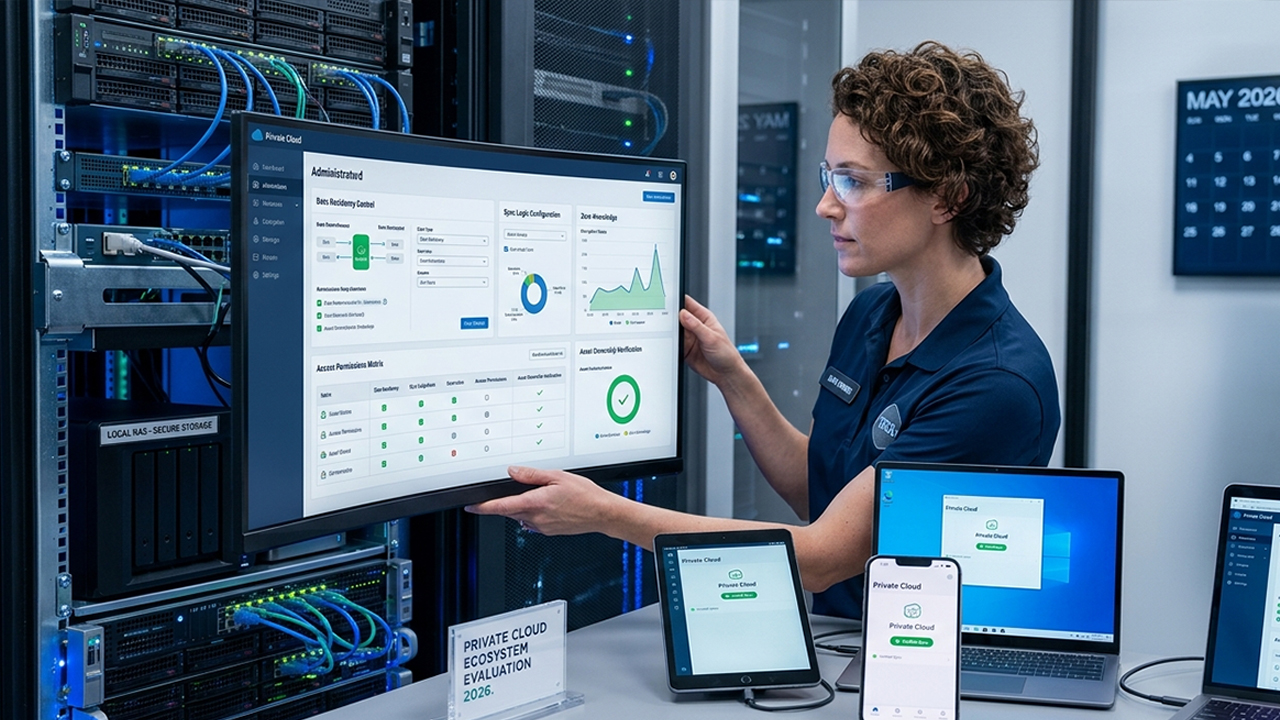
Deploying a private cloud infrastructure, however, introduces distinct technical variables. Certain platforms deliver exceptional file synchronization but demand complex configuration. Others prioritize strict zero-knowledge encryption at the expense of versatile file-management features. Only a select group of solutions successfully balances intuitive usability, robust security, and long-term ecosystem stability.
This evaluation focuses exclusively on applications designed to establish, manage, or streamline a private cloud environment for raw data, documents, photo libraries, media streaming, and system backups. Every featured application maintains active development in 2026 and is accessible via the Apple App Store, Google Play Store, or relevant desktop and web interfaces. Pricing models and software capabilities have been verified against current vendor specifications.
Top Private Cloud Solutions Evaluated
1. Synology Drive
Pricing: Free software; requires compatible Synology NAS hardware
In terms of operational fluidity, Synology Drive provides the experience closest to a premium, consumer-grade cloud platform while keeping all infrastructure strictly on-premise. The mobile and desktop client ecosystem interfaces directly with Synology NAS hardware, delivering automated photo and video ingest, granular multi-device synchronization, robust file versioning, and secure remote sharing link generation.
Performance testing revealed exceptional reliability. Large-scale 4K video assets synchronized without connection dropouts, deep nested directory structures remained perfectly mirrored across disparate hardware, and remote relay connections maintained high availability during extended network stress tests. For environments already utilizing Synology hardware, this platform represents the most polished turnkey private cloud experience currently available.
Key Advantages:
Highly polished, consumer-grade mobile and desktop user interfaces
Zero-latency automatic background media backup
Comprehensive block-level file versioning and recovery systems
High-throughput synchronization speeds within local and remote networks
Backed by a robust enterprise hardware and software ecosystem
Eliminates recurring monthly storage subscription fees
Core Limitations:
Tied exclusively to the purchase of proprietary Synology NAS hardware
Initial network and storage pool configuration requires an initial time investment
Advanced external access settings (DDNS, firewalling) can present a learning curve
2. Nextcloud
For deployments requiring unrestricted control and modification rights, Nextcloud stands as the premier open-source cloud collaborative platform. It is widely acknowledged across the industry as the most comprehensive self-hosted alternative to standard commercial cloud ecosystems. The platform excels at multi-device document management, media synchronization, and administrative control, supporting extensive mobile background uploads and highly configurable desktop syncing behavior.
The primary advantage of Nextcloud lies in its architectural flexibility. It can be deployed across a vast array of hardware, including home servers, Virtual Private Servers (VPS), standard NAS devices, or custom enterprise iron. However, this flexibility requires a trade-off: Nextcloud demands a higher baseline of systems administration knowledge. System performance is tightly coupled with underlying database optimization, server hardware performance, and network bandwidth configuration.
Key Advantages:
Complete operational independence with a 100% self-hosted model
Fully open-source codebase allowing extensive custom modifications
Vast array of official and community-developed extension modules
Active, global developer and administrator community
Broad compatibility across virtually all operating systems and architectures
Core Limitations:
Significantly more complex initial installation and provisioning process
UI fluidity and file operations are highly dependent on server-side optimization
All security hardening, patching, and data redundancy tasks fall to the host administrator
3. Proton Drive
Pricing: Free tier (5GB); tiered premium subscriptions available
While Proton Drive operates on a hosted infrastructure rather than a self-hosted local server, it functions as a critical component in sophisticated private cloud strategies. Advanced workflows frequently utilize its zero-knowledge, end-to-end encrypted storage as a highly secure offsite backup layer for sensitive operational data. The base service includes 5GB of complimentary allocation, with paid expansions scaling into multi-terabyte tiers.
During testing, Proton Drive demonstrated excellent management of sensitive document pools. The mobile and desktop applications interface directly with native file management systems (such as iOS Files and Android Storage Access Framework), allowing secure file access without the awkward synchronization bottlenecks common to older privacy tools. Recent server-side updates have also significantly improved multi-threaded upload and download speeds.
Key Advantages:
Strict, verified zero-knowledge end-to-end encryption architecture
Accessible free tier for baseline critical file storage
Strong corporate and jurisdiction-based privacy protections
Seamless integration with native mobile file management systems
Simple setup process requiring zero hardware configuration
Core Limitations:
Not a self-hosted solution; data resides on external infrastructure
Lacks the deep server customization and modular add-ons of Nextcloud
Higher-capacity storage requirements introduce recurring subscription costs
4. Resilio Sync
Pricing: Free baseline version; one-time premium licensing available
Resilio Sync abandons the traditional server-and-client cloud model entirely, operating instead on a decentralized, peer-to-peer (P2P) protocol based on BitTorrent technology. Devices link securely using unique cryptographic keys and synchronize files directly with one another over local networks or the internet, bypassing intermediary cloud servers completely.
This architecture produced the fastest large-file transmission speeds observed during testing. Large video production directories, uncompressed RAW image databases, and monolithic system backup images transferred at maximum network capacity. Resilio Sync offers a highly efficient option for users who want to keep files identical across devices without maintaining a central server. The obvious constraint is availability: a device containing the desired file must be online and active to allow remote access.
Key Advantages:
Eliminates central data store vulnerabilities and cloud server costs
Industry-leading synchronization speeds for large-scale data sets
Direct peer-to-peer data pathways maximize local network bandwidth
Native binaries available for a wide array of desktop, mobile, and NAS platforms
Minimizes storage inflation by keeping data on active devices
Core Limitations:
Cannot access files remotely if all corresponding synchronization peers are powered down
Does not function as a standard, independent cloud storage system
Advanced automation and selective sync features require premium licenses
5. FileBrowser Professional
Available on: iOS
Pricing: Paid application (One-time platform-specific purchase)
Unlike the other options on this list, FileBrowser Professional does not provide storage infrastructure or background synchronization algorithms. Instead, it serves as a powerful, unified management interface designed to link mobile operating systems to existing network storage, including local NAS units, SMB/CIFS shares, FTP/SFTP nodes, WebDAV directories, and independent private clouds.
In testing, this application proved to be an indispensable tool for navigating complex, multi-location private storage setups. It allows users to browse file structures, execute server-side transfers, stream high-bitrate media files directly, and manage remote directories through a single mobile interface. For administrators of home or corporate NAS environments, it bridges the gap between raw network storage protocols and mobile usability.
Key Advantages:
Comprehensive protocol support including SMB, FTP, WebDAV, and unique cloud APIs
Advanced remote file manipulation and batch movement capabilities
Direct integration with local NAS setups and custom home servers
Transparent, one-time purchase software model with no subscription ties
Excellent integrated media streaming and document viewing engines
Core Limitations:
Does not provide storage capacity; functions strictly as an access client
The interface features dense, technical configurations that may overwhelm non-technical users
Requires a solid understanding of network protocols for remote setups
Strategic Implementation and Summary
Comprehensive evaluations indicate that Synology Drive represents the most stable, cohesive entry point for users aiming to build a private cloud with minimal administrative overhead. It effectively bridges the gap between total hardware ownership and modern cloud app convenience. For technical environments demanding absolute control over software deployment and open-source compliance, Nextcloud remains the industry-standard choice. Meanwhile, users looking to preserve local device capacity and optimize multi-device workflows can use Resilio Sync or FileBrowser Professional to significantly upgrade their mobile capabilities.
Observation reveals that the most resilient private cloud strategy does not rely on a single application. Instead, it utilizes a hybrid approach: deploying a localized Synology Drive or Nextcloud system as the primary storage core, paired with Proton Drive to handle encrypted, offsite protection for critical data. This multi-layered approach ensures true hardware ownership, high availability, data redundancy, and strong privacy without introducing platform lock-in.





