

4 Voice-to-Text Apps That Make Commuting More Productive in 2026
Commuting has quietly become one of the last untapped pockets of productive time in the workday. Whether you are sitting in traffic, riding a packed subway, or waiting through a delayed train connection, those 30 to 60 minutes can easily disappear into mindless scrolling or the same playlist you have already heard a hundred times. For professionals juggling constant emails, though, that time can be surprisingly valuable.
The problem is that typing long emails on a phone while moving around is awkward at best and dangerous at worst. Walking through a crowded station while trying to tap out a reply almost guarantees typos, while attempting to type behind the wheel should never even be considered. Voice dictation is the obvious solution, but commuting environments are far from ideal. Background conversations, train announcements, engine noise, and unreliable internet connections can quickly expose weak speech-recognition software.
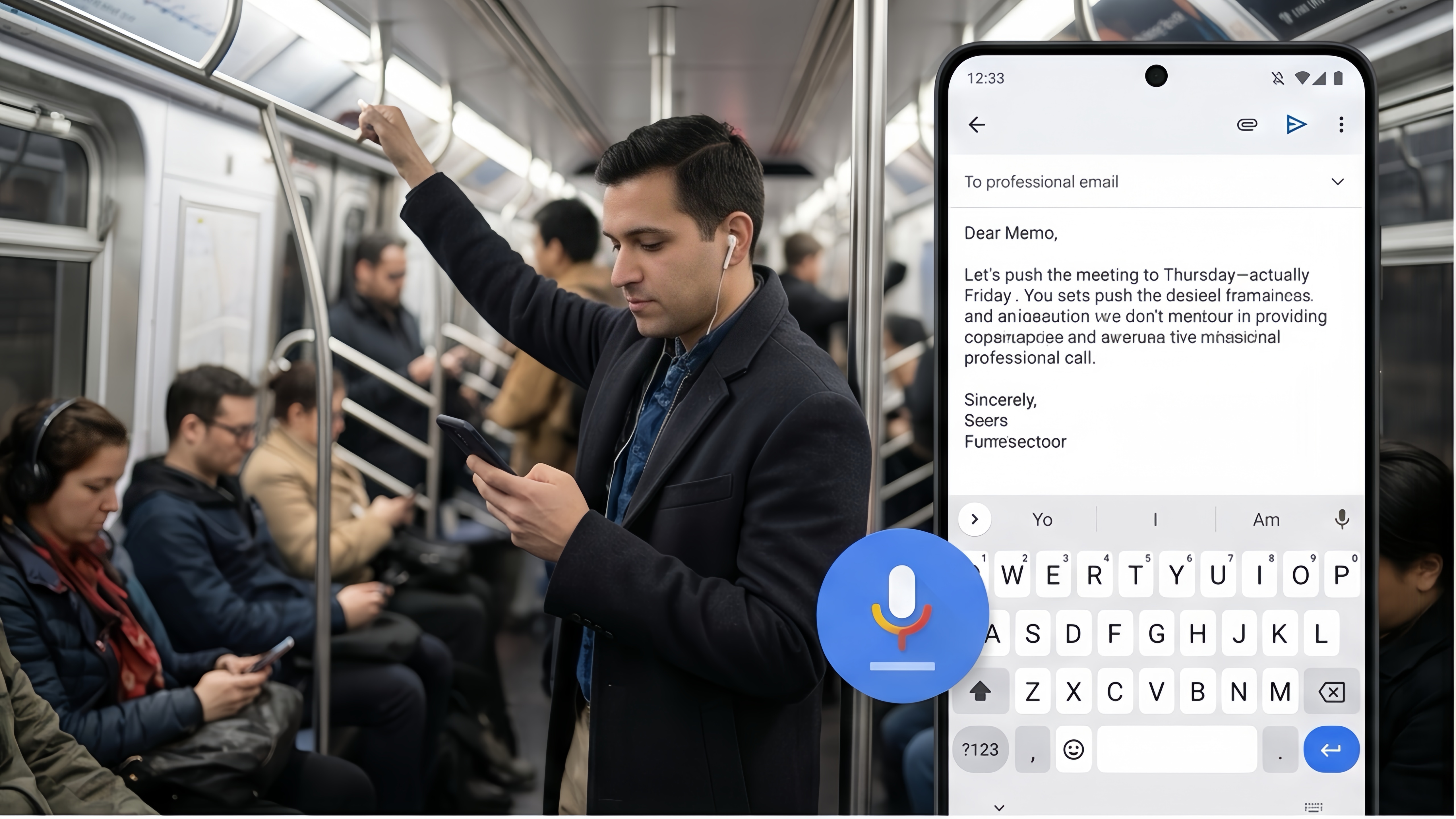
To find the best options available in 2026, we tested leading voice-to-text apps in real commuting situations: noisy subway rides, busy sidewalks, highway traffic, and crowded cafés. We focused on transcription accuracy, hands-free usability, punctuation handling, noise suppression, and how easy it was to turn spoken thoughts into polished emails without constant editing. Every app below is actively available on the US Google Play Store or Apple App Store.
1. Gboard Voice Typing(iOS/Android)
Pricing Model: 100% Free
The Reality Check
Gboard continues to be the easiest and most practical dictation tool for everyday commuters, largely because it removes friction completely. There is no separate app to launch and no complicated setup process. If you already use Gmail, Outlook, Slack, or virtually any messaging app, the microphone button is already sitting on your keyboard waiting for you.
During testing on a crowded morning train, Gboard consistently handled background noise better than expected. Google’s speech-recognition engine remains one of the fastest available on mobile devices, and on newer Android phones, Advanced Voice Typing significantly improves punctuation and sentence flow. Instead of awkwardly saying every comma and period, the app often inserts punctuation automatically based on your speaking rhythm and pauses.
The experience feels especially natural for short-to-medium emails. You can quickly dictate something like:
"Hi Sarah, I reviewed the presentation on the train this morning. The updated budget section looks good. Let's discuss the rollout timeline during the 2 PM call."
Within seconds, the message appears almost perfectly formatted.
Another major advantage is offline support. If you download language packs ahead of time, Gboard can continue working even when your subway enters a tunnel or your signal drops temporarily. That reliability matters more during commuting than most people realize.
Pros & Cons
Pros:
Completely free with no subscription pressure or usage caps.
Built directly into the keyboard, making it incredibly fast to access.
Offline dictation support works surprisingly well for commuters with unstable connections.
Excellent speech recognition speed on both Android and iOS.
Cons:
Minimal AI cleanup; filler words and verbal corrections still appear in the final text.
Advanced Voice Typing features work best on newer Android devices.
On iOS, accessing Gboard dictation requires an extra tap compared to Apple’s native voice input.
2. Wispr Flow(iOS/Android)
Pricing Model: Free tier (limited monthly usage) / Pro Subscription (approximately $15–$19 per month)
The Reality Check
Wispr Flow takes a very different approach from standard dictation apps. Instead of simply converting speech into text, it tries to reshape messy spoken thoughts into polished writing. For commuters who frequently draft formal business emails, client updates, or executive summaries, that difference is enormous.
In testing, Wispr Flow performed exceptionally well in chaotic urban environments. While walking beside heavy traffic and construction noise, the app filtered out most ambient sounds and focused almost entirely on the speaker’s voice. More impressively, it cleaned up natural verbal mistakes in a way that felt genuinely useful rather than intrusive.
For example, saying:
"Hey Mark, let's push the meeting to Thursday—actually Friday morning works better—and please bring the updated Q1 numbers."
became:
"Hey Mark, let's move the meeting to Friday morning. Please bring the updated Q1 numbers."
That type of cleanup saves a huge amount of editing time when you are commuting and cannot constantly stare at your phone screen.
Wispr Flow also shines during longer-form dictation. Many voice tools struggle when users speak conversationally or change direction mid-sentence. Wispr’s AI handles those transitions remarkably well, making it feel closer to talking with an assistant than using a traditional speech-recognition engine.
That said, the app’s biggest weakness is its dependence on cloud processing. In underground subway tunnels or areas with weak reception, performance drops quickly. Unlike Gboard, this is not an app you can fully rely on offline.
Pros & Cons
Pros:
Excellent AI-assisted cleanup for professional emails.
Strong noise suppression in loud commuting environments.
Removes filler words and spoken corrections automatically.
Cross-device syncing makes reviewing drafts later very convenient.
Cons:
Subscription pricing is expensive for casual users.
Requires a stable internet connection for best performance.
Some users may prefer raw transcription instead of AI rewriting.
3. Otter.ai (iOS/Android)
Pricing Model: Free tier (300 monthly transcription minutes) / Pro Subscription ($16.99 per month)
The Reality Check
Otter.ai is best known as a meeting transcription platform, but it also works surprisingly well for commuters who need to dictate long-form content without interruption.
Most keyboard-based dictation systems are designed for quick replies. If you pause too long, switch apps, or speak continuously for an extended period, they often stop listening automatically. Otter is different. It is designed for extended recording sessions, which makes it ideal for drafting long updates, brainstorming ideas, or outlining reports during a long commute.
During testing on a 40-minute highway drive, Otter handled uninterrupted speech extremely well. We simply placed the phone in a cup holder, pressed record, and talked naturally. The app maintained a steady transcript without timing out or aggressively interrupting the speaker.
Another standout feature is organization. Otter automatically creates summaries, highlights keywords, and structures transcripts into readable chunks. For commuters who like to “brain dump” ideas while traveling, that organization becomes incredibly useful later at the office.
However, Otter still feels more like a transcription platform than a direct email-writing assistant. Moving text into Gmail or Outlook requires extra steps, and the interface is heavily optimized for meetings and notes rather than fast communication.
Pros & Cons
Pros:
Excellent for long-form dictation sessions.
Reliable continuous recording without aggressive timeout limits.
Automated summaries and searchable transcripts save time later.
Strong cloud backup and synchronization across devices.
Cons:
More workflow-heavy than simple keyboard dictation apps.
Technical jargon and niche terminology may require vocabulary training.
Less convenient for quick email replies.
4. Dragon Anywhere(iOS/Android)
Pricing Model: Paid subscription ($14.99/month or annual plans)
The Reality Check
Dragon Anywhere remains one of the most specialized voice dictation tools available. Developed by Nuance, it is designed for professionals who cannot afford transcription mistakes—particularly lawyers, doctors, consultants, and technical workers dealing with industry-specific terminology.
While most consumer dictation apps focus on convenience, Dragon emphasizes precision and hands-free control. During testing, its voice-editing system stood out immediately. Users can issue detailed verbal editing commands like:
"Select previous sentence."
"Capitalize that."
"Delete last paragraph."
That level of control makes a real difference when you are driving or commuting and cannot safely interact with the screen.
Dragon also supports custom vocabularies and reusable templates. If you regularly dictate legal disclaimers, technical specifications, or repetitive client language, you can save those phrases and insert them instantly using voice commands.
Accuracy was generally excellent, particularly with technical language that confused other apps. However, Dragon’s interface feels noticeably dated compared to newer AI-powered competitors. There is also a learning curve. Casual users looking for simple email replies may find the system overly complex.
Pros & Cons
Pros:
Extremely accurate transcription, especially for technical terminology.
Advanced hands-free editing commands.
Custom dictionaries and reusable templates are powerful for professional users.
Adapts to speaking patterns over time.
Cons:
No free version available.
Interface feels outdated compared to modern AI apps.
Requires more setup and practice than beginner-friendly alternatives.
The Final Verdict
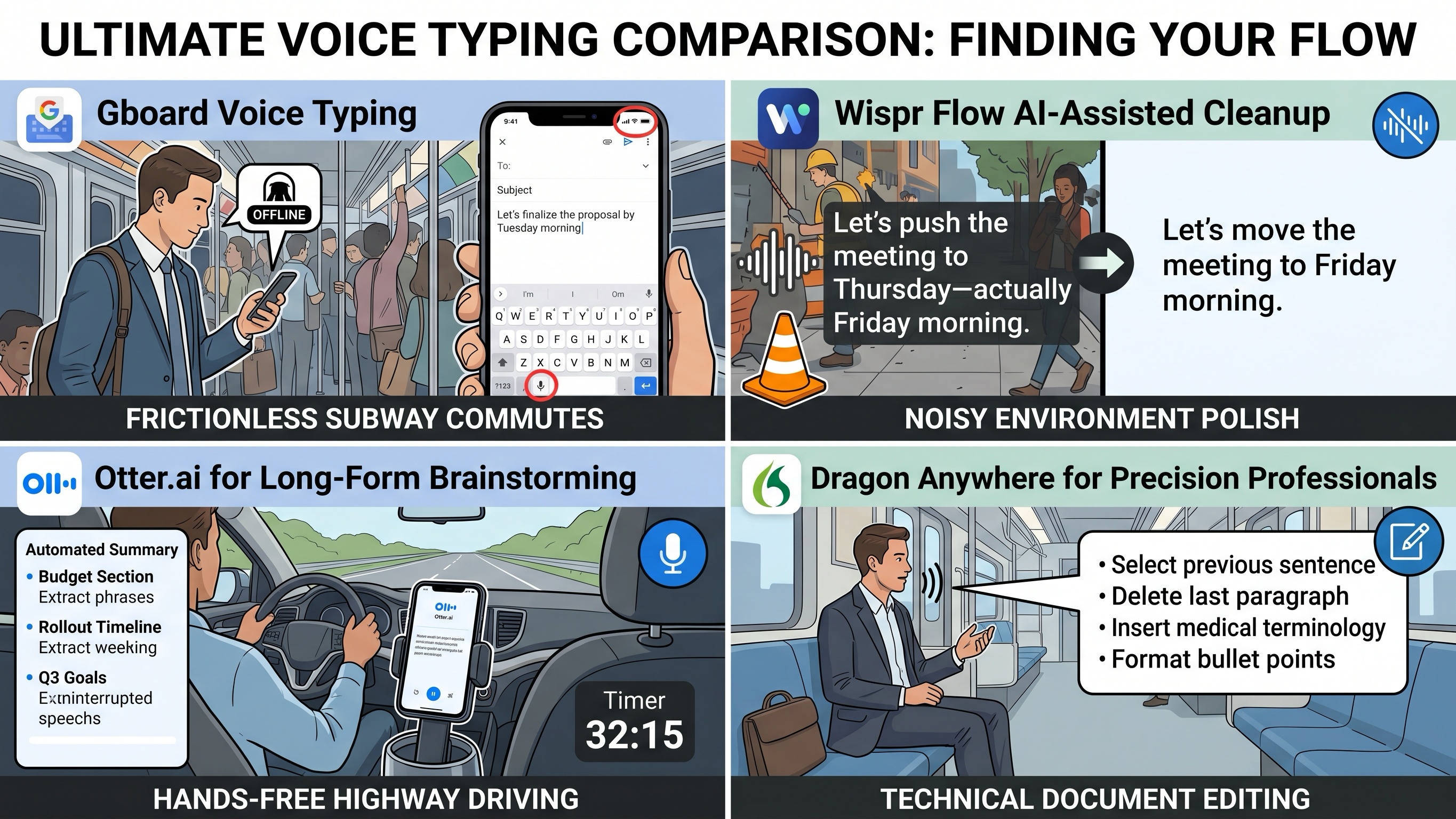
For most commuters, Gboard Voice Typing remains the easiest recommendation. It is free, fast, reliable, and already integrated into the apps people use every day. For quick replies, scheduling updates, and short business emails, it handles the job with minimal friction.
However, if your commute regularly involves drafting longer, more polished business communication, Wispr Flow offers a noticeably smarter experience. Its ability to clean up messy speech, remove verbal corrections, and format professional emails automatically makes it feel less like standard dictation software and more like a mobile writing assistant.
Meanwhile, Otter.ai is ideal for long-form brainstorming sessions, while Dragon Anywhere remains the best fit for professionals working with specialized terminology who need maximum hands-free control.
The good news is that voice dictation technology has improved dramatically over the last few years. What once felt clunky and unreliable is now fast enough—and accurate enough—to turn your daily commute into genuinely productive time.





