

See Your New Kitchen Before You Build It: 4 Best AR Remodeling Apps for 2026
Planning a kitchen remodel has always been difficult. Most homeowners end up comparing tiny paint samples, cabinet swatches, and countertop materials while trying to imagine how everything will look together in a real space. A wrong decision—such as choosing cabinets that make the room feel darker or selecting oversized tile patterns for a small kitchen—can become an expensive mistake.
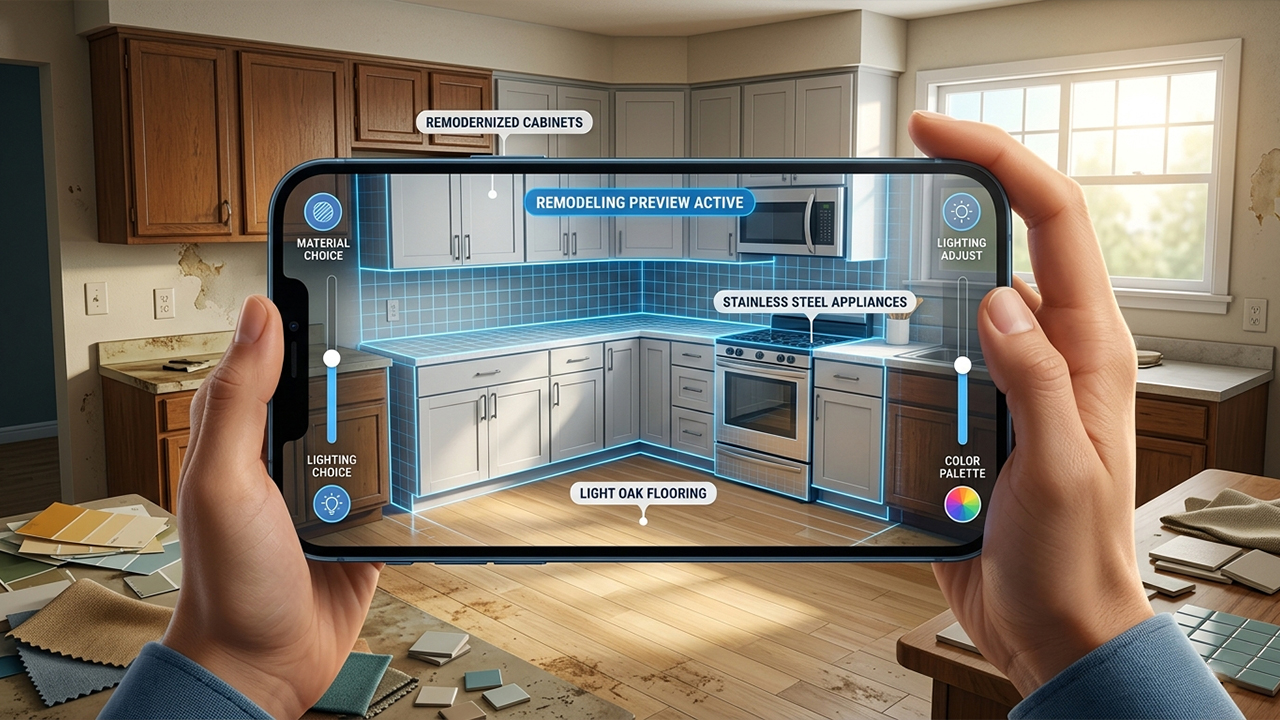
Fortunately, augmented reality (AR) and AI-powered home design tools have improved dramatically in recent years. Modern smartphones and tablets can now scan rooms, map surfaces accurately, and generate highly realistic previews of renovations before any demolition begins.
To find the best kitchen remodeling apps available on iOS and Android in 2026, several popular platforms were tested using real kitchen layouts. The evaluation focused on three key areas: tracking accuracy, realism of materials and lighting, and how well each app preserved the room’s actual structure while applying design changes. Some apps looked impressive at first glance but struggled with distorted layouts or unrealistic object placement. Others delivered surprisingly practical results that could genuinely help homeowners avoid costly remodeling errors.
Here are the four best apps for visualizing a kitchen remodel in AR.
1. Remodel AI
Available on: App store, Google Play
Pricing Model: 3 free renders after sign-up, then $39.99/year for unlimited access.
Why It Stands Out
Remodel AI is one of the most reliable consumer-friendly apps for visualizing kitchen upgrades while keeping the original layout intact. Many AI design apps tend to “hallucinate” structural changes, randomly moving appliances or removing sinks to create cleaner-looking renders. Remodel AI performs much better at preserving the actual structure of the room.
During testing on an L-shaped kitchen layout, the app consistently maintained the correct placement of cabinets, plumbing fixtures, windows, and major appliances. Its dedicated kitchen tools—especially the “Cabinet Refacing” and “Flooring Swap” features—were particularly useful for cosmetic remodels.
Users can upload a photo of their kitchen and instantly preview new cabinet colors, countertops, backsplashes, and flooring styles without altering the room’s dimensions. Lighting simulation is also surprisingly realistic, especially when previewing darker materials such as charcoal countertops or walnut cabinetry.
Pros
Excellent at preserving structural accuracy.
Specialized kitchen remodeling tools instead of generic room edits.
Realistic lighting and material rendering.
Affordable compared to professional design software.
Cons
Image quality depends heavily on good lighting and clean room photos.
Customization options are somewhat limited compared to full CAD software.
2. ARKitchen
Available on: App Store
Pricing Model: Free download with optional in-app purchases.
Why It Stands Out
ARKitchen focuses heavily on real-time augmented reality visualization. Instead of simply generating edited images, the app allows users to walk through a redesigned kitchen while viewing virtual cabinets, countertops, and islands directly inside the physical space.
The app performs especially well on newer iPhone Pro and iPad Pro devices equipped with LiDAR sensors. In testing, the room-scanning system created accurate floor plans within minutes, and virtual objects remained stable even while moving around the room from different viewing angles.
One of ARKitchen’s strongest features is its dual workflow. Users can first create a structured floor plan and then switch into immersive AR mode to experience the design at full scale. This makes it easier to judge walkway clearance, island placement, and cabinet proportions before making renovation decisions.
Pros
Smooth real-time AR walkthroughs.
Excellent spatial tracking and object stability.
Accurate room measurements using LiDAR scanning.
Helpful for testing kitchen flow and layout spacing.
Cons
Only available on iOS devices.
Best performance requires newer Pro-level Apple hardware.
3. Houzz
Available on: App store, Google Play
Pricing Model: Free for consumers.
Why It Stands Out
Houzz remains one of the most practical apps for homeowners because it combines inspiration, shopping, and AR visualization in a single platform. Its “View in My Room 3D” feature is particularly useful for validating materials before purchasing them.
Instead of rebuilding an entire kitchen layout, Houzz works best for surface-level upgrades such as flooring, backsplashes, lighting fixtures, and decor. During testing, the flooring visualization tool accurately mapped tile and wood textures onto the floor area after a short camera scan. Wall tile previews also appeared correctly scaled once the wall was calibrated.
A major advantage is that nearly every material shown inside the app is linked directly to real retail products. Users can immediately check prices, sizes, availability, and matching products without searching elsewhere.
Pros
Completely free for standard users.
Huge catalog of real purchasable products.
Strong AR tools for flooring and backsplash previews.
Helpful for comparing materials and finishes.
Cons
Interface can feel crowded due to the app’s marketplace features.
Less effective for major structural redesigns or full cabinet reconfiguration.
4. Magicplan
Available on: App store, Google Play
Pricing Model: Free for up to 2 projects; paid plans start around $9.99/month.
Why It Stands Out
Magicplan approaches kitchen remodeling from a more architectural perspective. Rather than focusing mainly on photorealistic visuals, the app excels at creating accurate floor plans and testing structural layout changes.
Using AR scanning, users can quickly map walls, doors, entryways, and room dimensions. The app then converts the scan into a detailed 2D and 3D floor plan. Generic kitchen components—such as islands, base cabinets, sinks, and appliances—can then be added to evaluate spacing and ergonomics.
Magicplan is particularly useful for larger renovations involving wall removal, layout changes, or appliance relocation. In testing, it performed very well when checking practical concerns like refrigerator door clearance and walkway spacing around islands.
Pros
Excellent for structural planning and layout accuracy.
Useful for measuring clearances and workflow spacing.
Supports exporting professional project files and PDFs.
Helpful for communicating with contractors.
Cons
Steeper learning curve than simpler AI design apps.
Visuals are more technical than photorealistic.
Final Verdict
Each app on this list serves a slightly different purpose, so the best option depends on the type of kitchen remodel being planned.
For major structural renovations and floor-plan changes, Magicplan is the strongest choice because of its precision and architectural tools. For homeowners mainly comparing materials, finishes, and products, Houzz offers the best free experience thanks to its large retail integration and easy-to-use AR previews.
iPhone and iPad users who want immersive, real-time walkthroughs will likely prefer ARKitchen, especially on LiDAR-equipped devices.
However, for most homeowners planning a cosmetic or semi-structural kitchen upgrade, Remodel AI delivers the best overall balance. It combines realistic rendering, reliable structural consistency, and easy-to-use kitchen-specific tools, making it one of the most practical AR remodeling apps currently available.





