

Beyond the Edit: 5 Mobile Video Converters for Flawless Sharing Workflows
Why Mobile Video Conversion Matters More Than Ever
Anyone who regularly works with video on a smartphone eventually runs into the same frustrating problem: the file is technically fine, but the receiving platform rejects it.
An iPhone-recorded clip often needs to become an MP4 before it can be uploaded to a corporate portal. A massive 4K file might easily exceed email attachment limits. In other scenarios, a client may demand an MOV file, while a social media platform requires an MP4 with highly specific compression settings. Within complex sharing workflows, simply editing a video is no longer the final step. Format conversion, codec optimization, compression, and compatibility management have become absolutely essential.
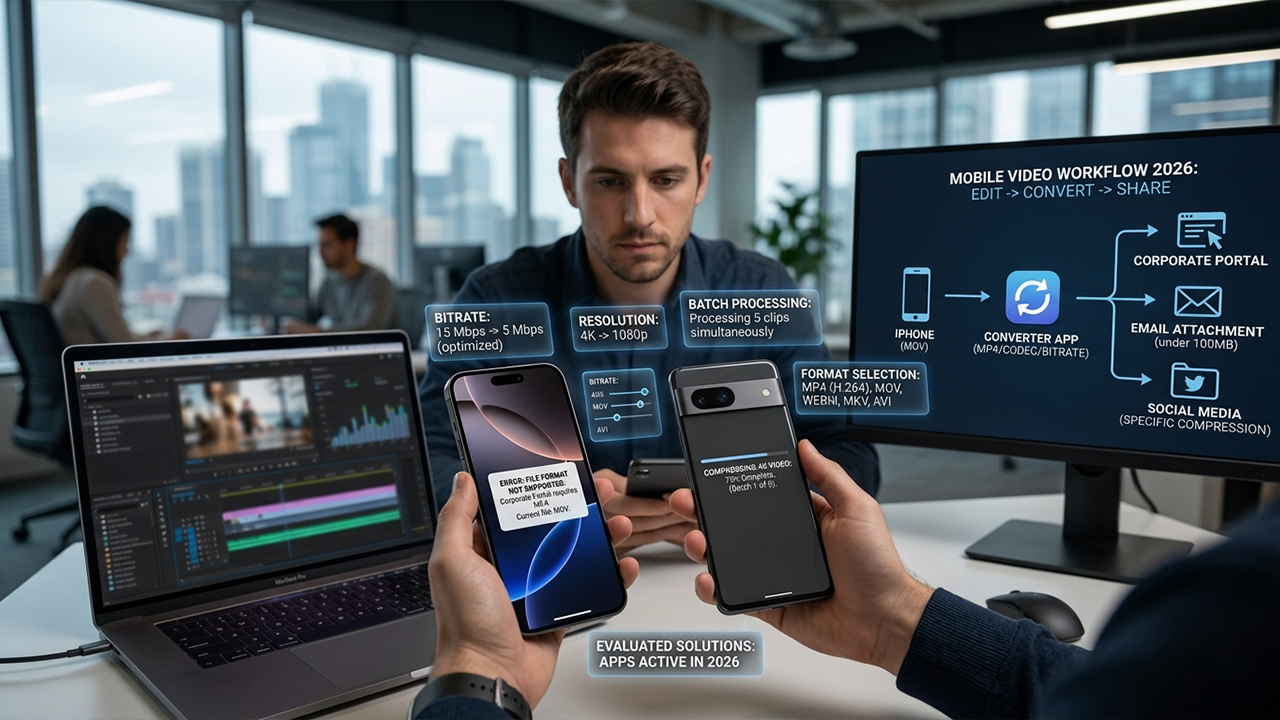
To identify the most effective solutions, real-world testing was conducted on apps capable of handling advanced video conversion directly on iOS and Android devices. The evaluation prioritized several key criteria:
Supported video formats: The breadth of file types the app can read and write.
Compression and optimization controls: The ability to tweak bitrates and resolutions.
Batch-processing capabilities: Efficiency when handling multiple files simultaneously.
Sharing workflow efficiency: How easily the converted file moves to its next destination.
Reliability during large-file handling: Performance stability under heavy rendering loads.
Current pricing model: Value provided relative to free and premium tiers.
Platform availability: Cross-platform utility versus OS-exclusive tools.
The resulting selection highlights apps that are actively maintained in 2026 and genuinely capable of solving intricate mobile video-sharing bottlenecks.
1. Remux
Among all the utilities tested, Remux behaves closest to a desktop-grade video conversion suite that happens to run on a mobile operating system.
The software supports more than 40 input formats and over 15 output formats, encompassing MP4, MOV, MKV, AVI, and WebM. It leverages hardware-accelerated processing, which slashes conversion times compared to older, software-bound mobile converters.
During practical evaluation, the app stood out for its holistic approach to sharing workflows rather than mere format switching. Users can compress files, adjust codecs, modify resolutions, extract audio tracks, and queue up multiple videos for batch processing. For professionals frequently moving video assets between messaging apps, cloud storage, social networks, and client delivery portals, this level of flexibility is indispensable.
Pros
Broad format compatibility
Swift, hardware-accelerated conversion
Robust batch processing
Built-in compression tools
Available for both major mobile platforms
Cons
Premium tier required for advanced features
Technical interface may feel overwhelming for casual users
Summary
Remux stands out as one of the most powerful, mobile-first solutions on the market for sophisticated conversion pipelines.
2. Video Converter (Float Tech)
Pricing: Free with in-app purchases; optional premium and lifetime upgrades available
Float Tech's Video Converter has maintained a strong reputation on iOS for years, remaining a staple tool for quick asset adaptation.
The application facilitates smooth transitions between numerous video and audio formats, including MP4, MOV, MKV, AVI, GIF, WMV, FLAC, AAC, WAV, and WebM.
Operational testing revealed that simplicity is this app's primary strength. Importing a file, selecting an output format, and immediately sending the result to another application requires only a few taps. For fast-paced workflows, this speed is often far more valuable than a deep menu of granular editing options. The utility shines when processing files received from Windows users, legacy cameras, or older media archives that need to be made iOS-compatible on short notice.
Pros
Extensive format support
Immediate, seamless sharing options
Clean and straightforward user interface
Reliable, consistent performance
Long-standing development and support history
Cons
Cloud-based conversion mechanics may deter privacy-conscious users
Fewer granular optimization controls than technical competitors
Summary
This application serves as a dependable choice for individuals who frequently encounter incompatible files and need to standardize them quickly on an iPhone or iPad.
3. Panda Video Compress & Convert
Availability: Android
Pricing: Free with ads and in-app purchases
Panda targets a universal digital headache: video files that are simply too massive to share via standard mobile channels.
The app manages video compression, resizing, trimming, and format switching across a variety of containers, such as MKV, MP4, AVI, FLV, WebM, WMV, and MOV. It also accommodates modern codec shifts, allowing users to transition between H.264, HEVC (H.265), and VP9.
When preparing videos for email, instant messaging apps, and cloud uploads, Panda performs exceptionally well. The built-in feature that targets specific file-size thresholds is incredibly practical for navigating strict platform upload ceilings. Amassing over 10 million downloads on Google Play, this tool has solidified its place as a reliable workforce for mobile media management.
Pros
Highly granular compression controls
Modern codec conversion support
Stable management of large video libraries
Intuitive file-size targeting presets
Well-optimized for the Android ecosystem
Cons
Exclusive to Android devices
Free version includes noticeable advertising
Summary
For Android users whose primary bottleneck is shrinking large video files without destroying visual clarity, Panda remains a premier option.
4. Video Converter and Compressor (Inverse.AI)
This application caters directly to users who require a level of technical oversight that basic mobile converters rarely offer.
Hands-on testing highlighted an unusually deep codec architecture for a mobile app. The software comfortably processes formats like MP4, MKV, AVI, MOV, FLV, MPEG, WMV, and MTS. Beyond basic container switching, it allows for the precise manipulation of bitrates, resolutions, frame rates, and specific codec profiles. For creators distributing content across multiple platforms with distinct technical specifications, these precise adjustments help eliminate compatibility issues before uploading. Furthermore, the audio conversion suite is surprisingly thorough, supporting MP3, AAC, AC3, WAV, OGG, and other audio formats.
Pros
Deep and extensive codec support
Precise bitrate and resolution customization
Comprehensive audio and video format mapping
Advanced technical settings for exact output matching
Cons
High learning curve for beginners
Intimidating interface for casual users
Summary
Inverse.AI provides an ideal toolkit for media professionals who refuse to compromise on exact technical output parameters.
5. Media Converter Flex
Media Converter Flex structures its utility differently from its peers, operating less like an isolated converter and more like a holistic media workflow manager.
The app allows users to convert video, compress files, merge clips, execute batch transformations, and—most notably—build reusable conversion presets. It also supports automated sequence logic for handling multiple files consecutively.
When managing large batches of video destined for varying platforms, the preset system saves an immense amount of time. Instead of manually configuring export settings for every single file, standardized profiles can be created once and deployed repeatedly. This architectural design makes the tool incredibly valuable for content creators and businesses executing repetitive distribution tasks.
Pros
Efficient batch conversion capabilities
Powerful preset-based workflow system
Native video merging features
Versatile multi-media conversion tools
Strong automation options for repetitive tasks
Cons
Plus subscription required for advanced automated features
Interface prioritizes utility over modern visual design
Summary
An excellent, time-saving option for users who handle standardized, high-volume mobile media distribution.
Choosing the Right Mobile Media Workflow Tool
After analyzing format support, optimization parameters, workflow integration, and overall mobile usability, Remux stands out as the most capable all-around choice for advanced mobile video conversion in 2026. Its integration of hardware acceleration, extensive format mapping, and batch processing addresses almost every hurdle found in a modern mobile production pipeline.
However, the ideal application ultimately depends on the specific operational bottlenecks being faced:
Superior Versatility: Remux
Effortless iOS Operation: Video Converter (Float Tech)
Targeted Android Compression: Panda Video Compress & Convert
Advanced Technical Customization: Video Converter and Compressor (Inverse.AI)
High-Volume Automation: Media Converter Flex
For professionals and creators regularly routing media through a web of cloud storage, messaging apps, internal corporate portals, and social channels, these applications provide the necessary infrastructure to bypass mobile compatibility limits entirely. They resolve the daily friction of modern content creation, ensuring media arrives at its final destination in the precise format, size, and codec required.





